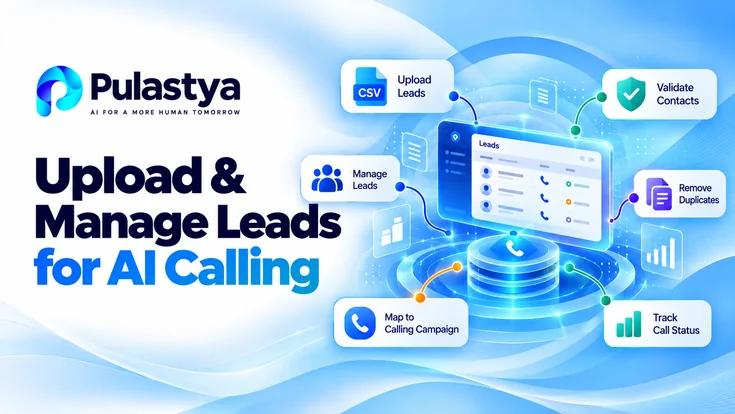
Uploading and managing AI calling leads requires tidy, validated data and clear status rules so automated outbound workflows run predictably.
Use a consistent CSV schema, normalize phone numbers and consent fields, validate records before campaign association, and map dispositions to automated next steps. Treat the process as a repeatable data pipeline.
- Canonical schema Standardize required and optional fields, with explicit headers and encoding, so imports are deterministic and machine-parseable.
- Validation gate Run automated checks for phone normalization, consent, and required fields; reject or quarantine bad rows with clear error codes.
- Disposition-driven routing Map call outcomes to controlled next steps: retries, suppression, human follow-up, or archival to keep the campaign pipeline healthy.
Start by defining the canonical lead schema your dialer expects: primary phone, backup phone, name fields, consent flag, timezone, and a campaign key for routing. Enforce column headers and data types up front to avoid failures during ingestion and to keep downstream AI calling logic consistent and auditable.
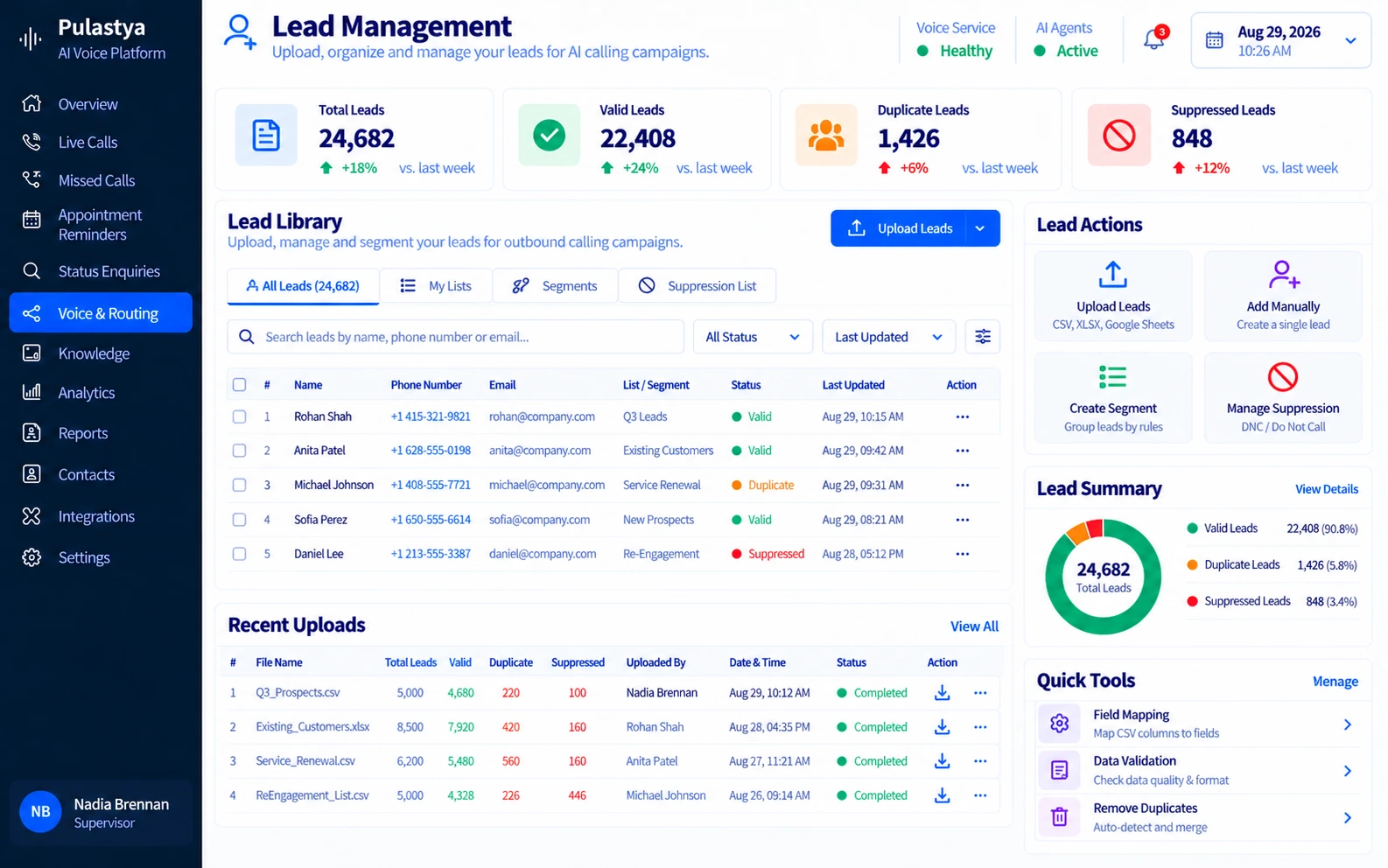
Plan an upload cadence and validation gate. Batch uploads should include a manifest describing file source, expected row count, and processing priority. Use automated validation to reject malformed rows, log rejections with error codes, and surface a concise review file for data remediation before associating leads to live calling campaigns.
Preparing a Lead File for an AI Calling Campaign
Define a single, authoritative CSV header set that the import process will accept. Required columns typically include lead_id, primary_phone, country_code, first_name, last_name, consent_status, timezone, and campaign_tag. Optional columns can add account_id, segment, and notes. Keep headers stable across uploads.
Choose an encoding and delimiter that your ingestion service supports; UTF-8 with comma delimiter is the most compatible choice. Avoid embedded line breaks in fields unless you also provide a strict quoting policy. Validate sample files before full production uploads to detect encoding or delimiter mismatches early.
Normalize phone numbers to E.164 or a consistent dial-ready format, strip non-numeric characters, and record country_code separately when possible. Include a field that indicates whether the number is mobile, landline, or unknown, because routing rules and consent obligations often differ by number type.
Include explicit consent and do-not-call flags at the row level. Use a deterministic set of consent values such as 'opt_in', 'opt_out', 'unknown', and include timestamp and source where available. These fields must be enforced at import time to ensure regulatory compliance and to prevent wasted call attempts.
- Required fields: lead_id, primary_phone, country_code, consent_status, timezone, campaign_tag.
- Recommended fields: secondary_phone, contact_type (mobile/landline), language, account_id, segment_label.
- File format: CSV UTF-8, quoted fields for commas, no byte order mark for strict parsers.
- Size guidance: split files above enterprise ingestion limits; include manifest for multi-file batches.
- Sample validation steps: header match, row length check, phone numeric validation, consent value check.
Treat the file as a contract: if headers or types change, require a new schema version and explicit migration.
Validating Records, Duplicates and Campaign Association
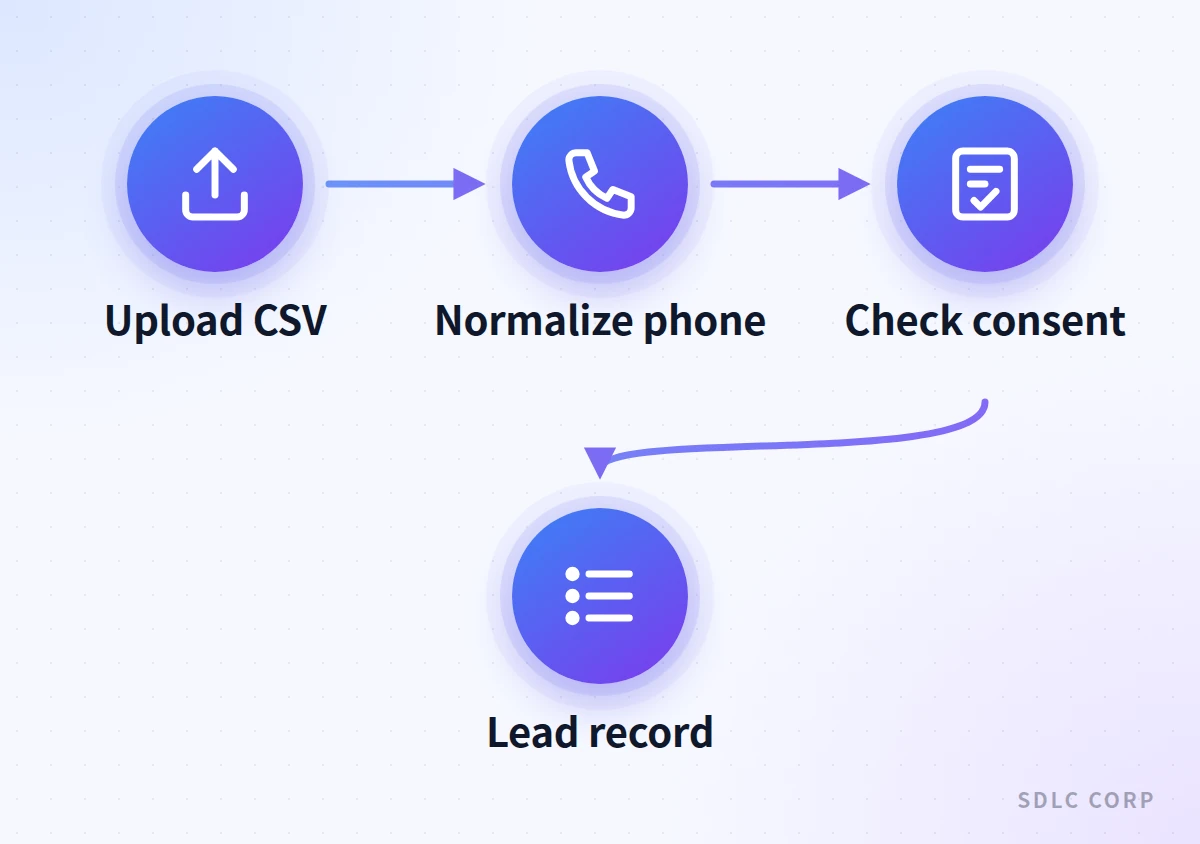
Validation should run as an automated gate immediately after upload and before any campaign association. Run syntactic checks, phone normalization, consent verification, timezone plausibility, and required-field presence. Failures should generate machine-readable error codes and a remediation report tied to the original row number.
Use deterministic duplicate detection that combines normalized phone, hashed email, and lead_id. Decide on a dedupe policy: skip duplicate, merge fields preferring newest non-null values, or mark for human review. Record the dedupe decision and the rationale in import logs for auditability.
When associating leads to a campaign, require a campaign_tag on the file or use a manifest mapping. Validate that the target campaign exists, matches compliance requirements, and is in an accepting state. If a lead is already active in another campaign, apply a priority rule or enqueue it based on campaign settings.
Implement a quarantine bucket for records that pass syntactic checks but fail compliance or business rules. Quarantined rows should be isolated from live dialing and made available for manual review or automated remediation tasks, with clear status, reason codes, and timestamps.
- Validation outcomes: accepted, rejected (fatal), quarantined (fixable), duplicate (handled per policy).
- Dedupe strategies: skip, merge newest, merge highest confidence, flag for agent review.
- Campaign association rules: require campaign_tag or manifest mapping, verify campaign state, enforce per-campaign suppression lists.
- Error reporting: include row_id, error_code, human-readable message, and recommended action.
- Quarantine actions: automatic enrichment, request user review, or scheduled revalidation after fixes.
Log decisions and keep original raw rows so you can rebuild or reverse associations without data loss.
Import pipeline
How an Uploaded Lead File Becomes a Dial-Ready Campaign Queue
- Validate the file and each rowHeader match, required fields, phone normalization and time-zone plausibility
- DeduplicateMatch on normalized phone, email hash and lead_id; skip, merge or flag per policy
- Check consent and suppressionEnforce consent_status, do-not-call flags and per-campaign suppression lists
- Associate with a campaignRequire campaign_tag or manifest mapping and confirm the campaign is accepting leads
Possible outcomes
- AcceptedStatus set to new and the lead enters the campaign queue for dialing
- QuarantinedFixable compliance or business-rule failure held out of live dialing for review
- RejectedFatal error logged with row_id and error code; raw row kept for replay
Consent and suppression are enforced before campaign association, so no lead reaches the dialing queue until it has cleared every gate.
Using Lead Status and Call Outcomes to Control Next Steps
Define a compact set of canonical lead statuses that drive workflow: new, in_progress, contacted, needs_follow_up, do_not_call, failed, and closed. Keep status semantics explicit and map them to automated routing rules so status changes consistently trigger the right downstream action.
Map call dispositions to deterministic next steps: schedule retries for temporary failures, route interested leads to human agents, suppress numbers marked do_not_call, and archive leads after final disposition. Maintain idempotent rules so repeated events do not produce conflicting follow-ups.
Implement priority and cooldown controls for retries. For example, temporary network failures might trigger exponential backoff retries while a wrong-number disposition immediately suppresses the record. Use a retry budget to limit wasted attempts and preserve contact quality.
Expose status change events to downstream systems via webhook or event queue so CRM, analytics, and compliance systems stay synchronized. Include context in events: disposition code, agent or AI id, timestamp, audio transcript reference, and any prediction confidence scores relevant to routing decisions.
- Canonical statuses: new, in_progress, contact_made, interested, no_answer, voicemail_left, do_not_call, unreachable, archived.
- Disposition examples: interested -> assign to human agent; no_answer -> schedule retry; wrong_number -> suppress and log.
- Retry controls: max_attempts, backoff_strategy, retry_budget, retry_window, do_not_retry flags.
- Event payload: lead_id, previous_status, new_status, disposition_code, timestamp, context_meta.
- Policy controls: per-campaign rules, global suppression lists, and regulatory hold flags.
Treat dispositions as inputs to policy chains; keep rules auditable and easily adjustable by operations teams.
A Practical Lead-Record Example
Example CSV row: lead_id=LF-20260901-0001, primary_phone=+14155550123, country_code=US, first_name=Maria, last_name=Lopez, consent_status=opt_in, timezone=America/Los_Angeles, campaign_tag=Q4-Offers. This single-row example demonstrates how fields map to validation and routing rules.
Upload processing: the row passes schema and phone normalization, consent_status is valid, and timezone resolves. The ingest logs an accepted outcome and associates the lead with campaign Q4-Offers. No duplicates are found, so lead status is set to new and enters the campaign queue for dialing.
Call outcome scenario: AI call places one attempt and records disposition 'interested'. The automation maps 'interested' to an immediate handoff: assign to a human sales agent, create a CRM task, and change lead status to in_progress. A webhook notifies CRM with the disposition payload.
Failure scenario: if the first attempt returns 'no_answer', the policy applies exponential backoff with a max of three retries within a seven-day window. Each retry updates the lead record with attempt_count and next_attempt_at; after max attempts, status moves to failed and awaits manual review.
- Sample row key fields and values shown as mapping examples for import.
- Accepted path: validation -> associate -> queue -> attempt -> disposition -> routed action.
- No-answer path: record attempt_count, schedule retry using policy-defined backoff.
- Interested path: create CRM task, assign agent, mark lead for immediate follow-up.
- Rejected path: capture error code, surface remediation file, and preserve raw row for replay.
Model uploads as repeatable transactions: validation, association, execution, disposition, and audit.
Once leads are associated, campaign-level controls such as calling windows, priority and live-agent destinations take over; see AI calling campaign setup.
Attempt limits, delays and stop states for no-answer and voicemail outcomes are covered in outbound call retry rules.
Clean lead records matter most when calls qualify prospects. The guide to the capturing and scoring lead answers shows which attributes to capture and how qualified leads reach sales.
Conclusion
Uploading and managing leads for AI calling campaigns requires more than importing a contact list. A reliable workflow depends on structured CSV files, accurate phone numbers, duplicate detection, consent verification, and clear campaign assignment rules. Validating these elements before calling helps teams reduce errors, prevent unnecessary attempts, and maintain organized lead records.
By connecting lead validation with call outcomes, retry policies, CRM updates, and human follow-up, businesses can manage outbound AI calling campaigns more effectively. Regularly reviewing data quality, suppression lists, and campaign performance helps keep the process consistent, auditable, and aligned with applicable calling requirements.
Frequently Asked Questions
Use CSV with UTF-8 encoding and consistent comma delimiting for maximum compatibility. Quote fields that may contain commas, and avoid byte order marks. If your system supports alternatives, provide a manifest describing file format, column headers, and schema version so the ingestion service can parse deterministically.
Apply a deterministic dedupe policy tied to normalized phone and unique lead identifiers. Options include skipping duplicates, merging newest non-null fields, or flagging for manual review. Record the chosen action in import logs so decisions are auditable and reversible if operational rules change.
Include a row-level consent_status with controlled values like opt_in, opt_out, and unknown, plus consent_timestamp and consent_source when available. Enforce consent checks at validation to prevent dialing numbers with opt_out values and to ensure regulatory requirements are searchable in audit logs.
Define a mapping table that converts disposition codes to actions: retry with backoff, suppress permanently, assign to a human, or archive. Implement the mapping as configurable policies so operations can adjust retry budgets, escalation paths, and handoff criteria without code changes.
Error reports should include row identifier, error_code, human-readable message, and suggested remediation steps. Also provide counts by error type, sample rows, and guidance for common fixes. Include the original raw row so teams can correct and resubmit accurately.