Agentic AI Development Services

Our agentic AI development services help enterprises build AI agents that plan tasks, use business tools and complete multi-step work under human control. We design, test and run custom agents and multi-agent systems inside your own systems and approval rules.

125+AI Models Trained or Deployed
120+Enterprise AI Integrations Delivered
125+LLM Fine-Tuning Implementations Across Clients

Figures cover SDLC Corp’s AI delivery across all client engagements.

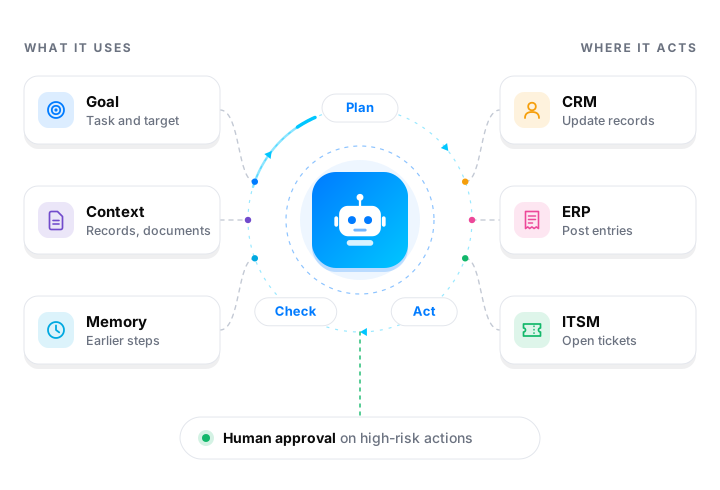
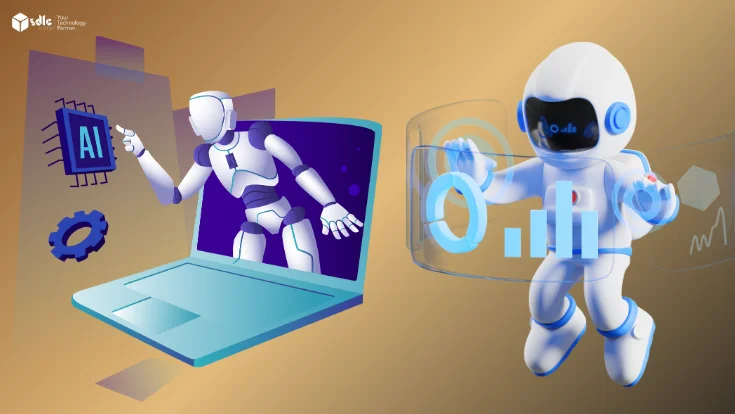
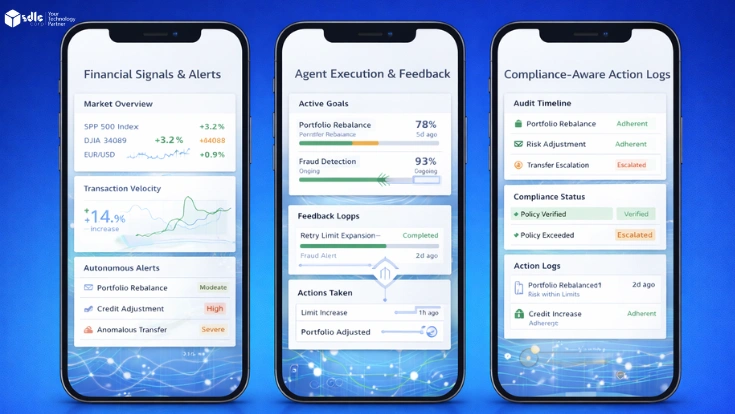
AI agent loop: an agent uses a goal, context and memory, plans, acts and checks its work in CRM, ERP and ITSM, with human approval on high-risk actions AI agent loop: an agent uses a goal, context and memory, plans, acts and checks its work in CRM, ERP and ITSM, with human approval on high-risk actions

Trusted by Fortune Global 500 leaders, governments & top universities across 30+ countries

Powered by leading cloud & AI platforms

Recognized by leading industry reviewers

Awards & industry recognition

Our Agentic AI Development Services

We start with the work your team needs to complete. Then, we define the data, tools and controls the agent needs.

Agentic AI Consulting and Use-Case Discovery

Choose a workflow with a clear business goal. First, we review the process, available data, system access and potential risks.

The discovery discussion helps define the initial scope and success measures.

Custom AI Agent Development

Build an agent for a specific responsibility, such as preparing a service response or processing a request. The agent uses approved tools and follows the rules defined for its task.

Agentic Workflow Automation

Connect the steps in a business process. For example, an agent can gather information, prepare an action and route an exception to a person.

If the process follows fixed rules, traditional workflow automation may be a better fit.

Multi-Agent System Development

Some workflows benefit from agents with separate responsibilities. One agent might gather information, while another checks a proposed action.

However, additional agents add complexity. We assess whether a single agent can handle the work more simply.

AI Agent Integration

Connect agents to CRM, ERP, service platforms and other business applications. We define the available actions around the system interfaces and permissions you approve.

Explore our AI integration and implementation services.

Agent Evaluation and Optimization

Test whether an agent completes tasks and follows its rules. Evaluation can cover tool selection, action inputs, task outcomes and human handoffs.

Deployment and Ongoing Support

Plan how the solution will run in its operating environment. We discuss deployment, handover and support requirements as part of the engagement.

Explore all 7 agentic AI development services

Where Agentic AI Can Help Your Business

Agents fit work with changing inputs, several steps and access to business tools. These three teams are common starting points.

Customer Service and Support

Support teams may need to check several systems before responding.

An agent can retrieve approved customer and order information. It can then prepare a response or create a service ticket. Meanwhile, a support specialist handles uncertain or sensitive requests.

Possible measures: Request routing time, task completion and handoff quality.

Sales and CRM

Sales teams spend time qualifying enquiries and updating records.

An agent can gather account context, update approved CRM fields and route an opportunity. However, a salesperson still reviews decisions that require judgment or authorization.

Possible measures: Response time, routing accuracy and record completeness.

IT and Service Operations

Service teams handle repeated requests and gather context from several sources.

An agent can collect request details, retrieve approved guidance and create or update a ticket. If a request is unclear or outside its permissions, the agent escalates it.

Possible measures: Triage time, routing accuracy and escalation quality.

AI Agents and Related Workflows in Practice

These projects show how SDLC Corp connects AI capabilities with business systems and human review.

01 / 03 Case Study

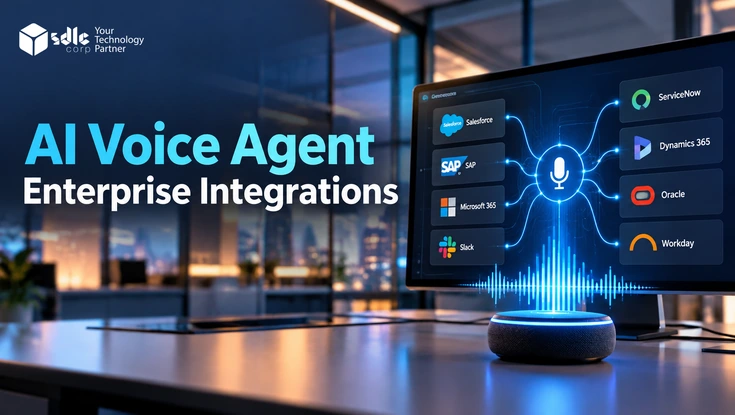
AI Voice Agent Integration With CRM, ERP and ServiceNow

A voice agent needs current information to help callers. It may also need to create a service request when an issue remains unresolved.

SDLC Corp built REST API connectors that link Pulastya AI with CRM, ERP and ServiceNow. During a call, the agent can verify a caller, retrieve live order information and open a prioritized IT ticket.

Project scope: One voice agent, three business systems (CRM, ERP and ServiceNow) and two service workflows for customers and employees.

Read the AI Voice Agent Integration Case Study
AI voice agent integration with CRM, ERP and ServiceNow case study
02 / 03 Case Study

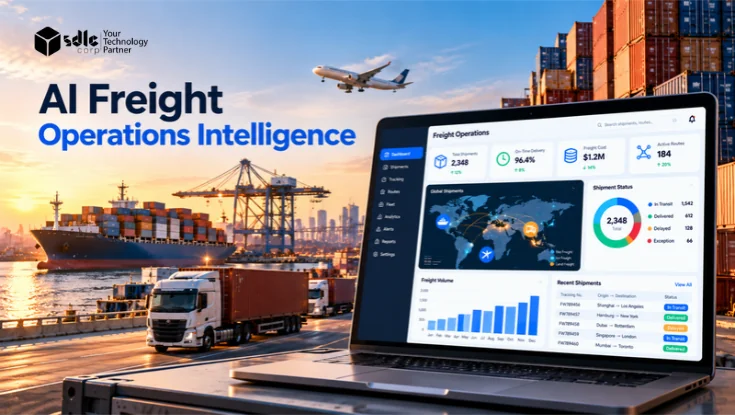
AI Freight Operations Intelligence for Transworld

Freight teams must match invoices with shipment and vendor records. They also need to check charges before updating the transport system.

SDLC Corp built an AI-powered workflow for Transworld. The system reads freight documents, compares their details with operational data and routes uncertain cases for review. After the required approval, it posts shipment cost lines to Oracle Transportation Management.

Project scope: Freight document reading, matching against shipment and vendor records, human review and posting to Oracle Transportation Management.

Read the Freight Operations Intelligence Case Study
AI freight operations intelligence for Transworld case study
03 / 03 Case Study

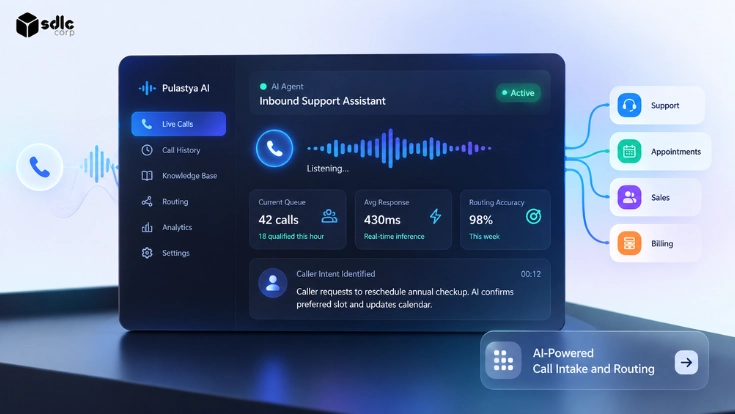
AI Call Intake and Routing With Pulastya AI

A service business spent staff time answering calls and directing callers to the right team.

SDLC Corp deployed Pulastya AI on the client’s existing Twilio numbers. The voice agent classifies calls by intent and answers supported questions using approved documents. It routes other requests to the appropriate team with a transcript and summary.

Project scope: Live on the client’s existing Twilio numbers with no number change, using approved knowledge sources, rule-based routing and human handoff.

Read the AI Call Intake and Routing Case Study
AI call intake and routing with Pulastya AI case study

How an Agentic AI Workflow Works

An agent needs a goal, relevant information and limits on its actions. A typical workflow follows these steps:

Request → Approved context → Agent decision → Authorized action → Human review when needed → Recorded outcome

1. Receive a Request

A customer, employee or business event starts the workflow. For example, a customer may ask about an order.

2. Retrieve Relevant Context

The agent obtains the information needed for the task. It might retrieve an order status through an approved interface.

3. Decide the Next Step

The agent checks the request and selects an available tool. If it cannot proceed within the workflow’s rules, it escalates.

4. Take an Authorized Action

The agent calls an approved tool or application interface. Depending on its permissions, it may retrieve information, create a ticket or prepare an update.

5. Request Review When Needed

Some actions require a person’s approval. The reviewer can approve, modify or reject the proposed action.

6. Record the Outcome

The agent saves the action and its result to the record. Then it closes the task or passes it on with a short summary.

Connect Agents to Existing Systems

An agent can use supported interfaces to interact with:

  • CRM and customer service platforms
  • ERP and operational applications
  • Service desks and ticketing tools
  • Databases and knowledge sources
  • Internal and third-party APIs

The integration design depends on your systems, data access and security requirements.

Our Agentic AI Development Process

Each project starts with a business problem and a way to measure success. The team then designs and tests the solution around that work.

  1. 1. Discover and Assess

    We review the process, intended outcome, data, systems and risks. Together, we identify a use case and discuss its initial scope.

  2. 2. Design the Solution

    We define the workflow, agent responsibilities, integrations and review points. We also identify scenarios for testing.

  3. 3. Build and Integrate

    We develop the agreed workflow and connect the required systems. Your team can review progress and provide feedback during development.

  4. 4. Evaluate and Refine

    We run the agent against a test set built from real cases, including edge cases and prompt injection attempts. Then we score task completion, tool choice and handoffs against the criteria set in discovery.

  5. 5. Deploy to Production

    Once approved, we prepare the solution for its operating environment. The project plan also covers handover and operational requirements.

  6. 6. Monitor and Improve

    After launch, the team reviews agreed performance measures and issues. Ongoing support and improvement work depend on the engagement scope.

Agent Security and Governance Controls

An agent’s controls should match the data it reads and the actions it can take. We set these controls during solution design, before any agent goes live.

Scope Tool Access

Each agent runs under its own service account with a fixed tool allowlist. For example, an order-status agent can read orders but cannot issue refunds. This limits the excessive agency risk listed in the OWASP Top 10 for LLM Applications.

Block Prompt Injection

Emails, tickets and documents can hide instructions aimed at the agent. So we keep retrieved content apart from system instructions and check every tool input against a schema. As a result, an action outside the allowlist never runs.

Set Approval Thresholds

Payments, record deletions and other high-risk actions pause until a person approves them. Your process owners agree these thresholds with us before the build starts.

Trace Every Action

We trace each tool call, input and result with OpenTelemetry and store it with a timestamp. Therefore, your team can replay any decision during an incident or an audit. This supports the Measure and Manage functions of the NIST AI Risk Management Framework.

Fail Safely

Tools time out, and requests arrive with missing data. In those cases, the agent stops, saves its state and hands the case to a person with a summary instead of guessing.

For agents that answer from approved documents, explore our RAG development services.

Our Agentic AI Technology Stack

We choose agent frameworks, models and data stores for each workflow. Then we connect the agent to your systems through APIs or MCP servers. Your data rules, latency targets and budget decide the final stack.

LangGraph logoLangGraph
LangChain logoLangChain
LlamaIndex logoLlamaIndex
CrewAI logoCrewAI
Model Context Protocol logoMCP
Meta Llama logoLlama
Mistral AI logoMistral
Hugging Face logoHugging Face
Pinecone logoPinecone
Weaviate logoWeaviate
Qdrant logoQdrant
PostgreSQL logoPostgreSQL
Redis logoRedis
OpenTelemetry logoOpenTelemetry
Docker logoDocker
Kubernetes logoKubernetes

Why Choose SDLC Corp for Agentic AI Development?

An AI agent helps only when it works inside your existing systems and within clear limits. That is why our engineers plan integrations, access rules, human review and testing together from the start.

Talk to Our Agent Engineers

Connect AI With Business Systems

Our published projects connect AI to CRM, ERP and ServiceNow, as well as Oracle Transportation Management for Transworld.

Work From Discovery Toward Deployment

We help teams assess the use case, design the workflow and plan its path to production.

Related AI Services in One Team

Many agents also need document retrieval, system integration or a fine-tuned model. Our RAG, integration and LLM engineers work on the same project, so you do not coordinate several vendors.

Agentic AI Development Cost and Engagement Models

The cost of agentic AI development depends on the workflow, integrations and controls your project needs. The ranges below can help you plan an initial budget. Your estimate will depend on the agreed scope.

Agentic AI Development Pricing by Project Type

Agentic AI Development Pricing by Project Type
Project typeTypical market range (USD)Typical timeline
Proof of concept$15,000–$50,0003–6 weeks
Single-purpose AI agent$30,000–$120,000Varies by scope
Multi-step AI agent$80,000–$200,000+Varies by scope
Enterprise AI platform with several integrations$300,000–$1.2 million+6–18 months

These are indicative market ranges, not fixed quotations. Model usage, infrastructure and support may add recurring costs.

Our Engagement Models

Fixed-Scope Project

A fixed-scope engagement works well when your requirements and deliverables are clear. We agree on the project scope and budget before development begins.

Best for: A defined proof of concept or project with clear requirements.

Pricing: An agreed project budget based on the scope.

Time and Materials

This model gives your team room to adjust the scope as the project develops. It suits work where requirements may change after testing or feedback.

Best for: Evolving projects and complex integrations.

Pricing: Based on the time and resources used under the agreed terms.

Dedicated Team

A dedicated team works with you on ongoing development. This model supports longer-term projects that need consistent engineering capacity.

Best for: Continued development and long-term builds.

Pricing: Based on the agreed team and engagement terms.

Request a Project Estimate

Tell us about the workflow you want to improve and the systems involved. We can discuss the scope, estimate and engagement model.

Request a Project Estimate
Client Stories

What Our Clients Say
About Working With Us

Read what clients say about our AI delivery, automation and integration work. Then talk to us about your agentic AI project.

4 AI and automation client reviews View on Clutch ↗
Client story

Eric Leist

CEO, Edgerton Strategies

Client story

Doug Schmidt

CEO, RoofAid USA

Client story

Reyzal Razmi

All Star Influencers

Client reviews on Clutch 01 / 04 Verified on Clutch
5.0 / 5 AI stock pattern detection
Their product had high accuracy rate of 90% due to which my customers were very happy.
Aarti Doharey
CEO, Algo Harmonic
Reviewed June 18, 2021
Read the review on Clutch ↗
Selected excerpts from verified Clutch reviews.

Discuss Your Agentic AI Project

Tell us about the workflow, data and systems your agent will use. We will help you scope a single AI agent or a multi-agent system.

Request a Free Consultation

Let’s Scope Your Agentic AI Workflow

Get expert guidance on scope, architecture, timelines, and delivery approach so you can move forward with confidence.

What Happens Next?

Agentic AI Development FAQs

Agentic AI development services cover the design, build and running of AI agents. These agents plan steps, call business tools and finish tasks under set rules. For example, a service agent can read an order, open a ticket and pass unclear cases to a person. Most projects also include integration, evaluation, human-in-the-loop approval and monitoring.

A chatbot answers a message. An AI agent works toward a goal: it picks the next step, calls an approved tool such as a CRM API, checks the result and continues until the task is done or needs a person. As a result, an agent needs permissions, testing and logging that a chatbot does not.

Use an agent when inputs vary and each case needs judgment, such as reading free-text emails or choosing which system to query. However, if the steps are fixed and the data is structured, rule-based automation is cheaper and easier to audit. Many projects combine both, with rules for the fixed path and an agent for exceptions.

Yes, if the system offers an API or another supported interface. The agent connects through REST APIs, vendor SDKs or MCP servers, using a service account with only the permissions it needs. For example, a voice agent can read live order data from an ERP and open a ServiceNow ticket during a call.

Each agent gets a tool allowlist and a service account with only the access its task needs, so it can read an order without changing it. Actions above a set risk level, such as payments or record changes, pause for human approval. In addition, every tool call is logged, so your team can trace any decision.

Evaluation uses a test set built from real cases, including edge cases and prompt injection attempts. It scores task completion, tool choice, the inputs passed to each tool and correct handoffs. Then the agent goes live only after it meets the thresholds agreed during discovery.

A proof of concept typically costs $15,000 to $50,000. A single-purpose agent usually falls between $30,000 and $120,000, while multi-step agents start around $80,000. Enterprise platforms with several integrations can pass $300,000. In addition, model usage, hosting and support add recurring costs.

A proof of concept usually takes 3 to 6 weeks. In contrast, an enterprise platform with several integrations often runs 6 to 18 months. Single agents sit between the two, and system access and test coverage drive most of the difference.

Ownership terms depend on the agreement for your engagement. Discuss code, prompts, configuration and other assets during project scoping.

Post-launch support is set in the engagement scope. It usually covers monitoring agent traces, updating prompts and tools when your systems change, fixing issues and handing over to your team.