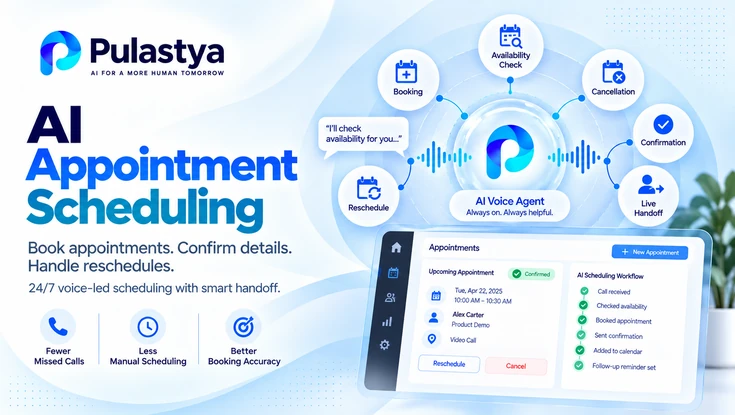
AI appointment scheduling is the use of a voice agent to handle booking calls: it identifies the appointment type, collects caller details, checks or requests availability, confirms the time and processes changes or cancellations.
It is built for clinics, service businesses, salons, agencies and other teams whose phone lines fill with scheduling requests.
- Two booking models The agent either books directly through a scheduling integration or captures a structured request for staff to confirm.
- Read-back confirmation Date, time, location and contact details are repeated to the caller and confirmed before the call ends.
- Planned fallbacks When no slot fits or a request needs judgment, the call moves to a waitlist, a callback or a person.
The business outcome is fewer booking calls lost to hold queues, voicemail and closed offices, and fewer errors in the details staff receive. Every caller leaves with either a confirmed appointment or a recorded request and a stated next step.
How far the agent can go depends on one design choice: whether it can reach your scheduling system in real time. Both models are workable, and the same call flow, confirmation habits and fallback rules apply to each.
What an AI Scheduling Agent Handles on Appointment Calls
An AI scheduling agent handles the phone conversations around appointments: new bookings, reschedules, cancellations and questions about an existing booking. It applies the rules your front desk already follows, such as appointment types, durations, locations and preparation instructions, consistently on every call.
Scheduling is usually one duty within a broader phone role. If you also need general questions, messages and department routing covered, start with the overview of an AI receptionist for business calls.
Match the request to an appointment type, collect the required details and secure a time or a confirmed request.
Find the existing appointment, offer alternatives that meet the same rules and release the old slot.
Confirm which appointment is being canceled, state the approved cancellation policy and record the reason.
Answer questions about preparation, location, duration and what to bring from approved content.
Scheduling calls look simple, but the details carry the risk. A wrong date, a misheard surname or the wrong location creates a no-show and a second call, so most design effort belongs in capture accuracy and confirmation.
How a Booking Call Flows From Request to Confirmation
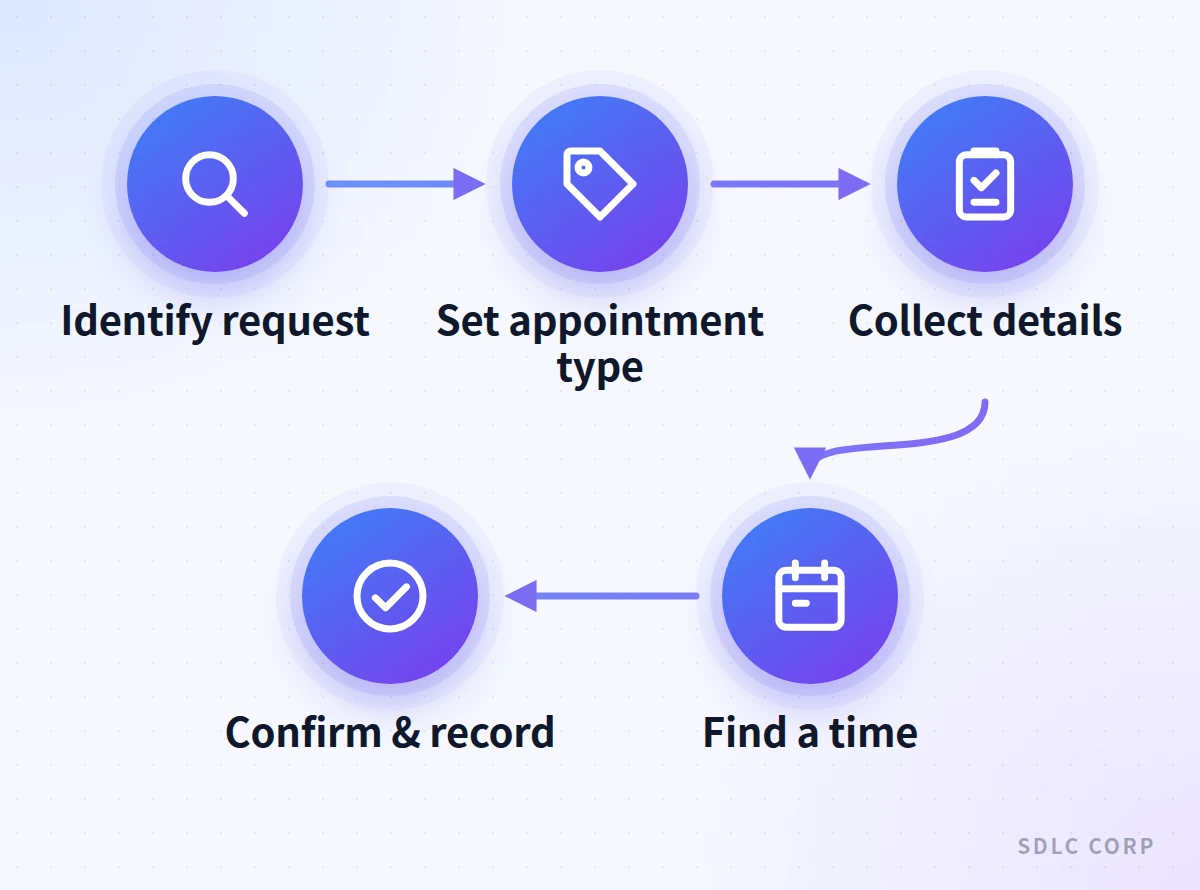
A booking call follows a fixed sequence: identify the request, set the appointment type, collect details, find or request a time, then confirm and record. The order matters because valid availability depends on the appointment type, so the agent cannot offer a slot before it knows what is being booked.
- Identify the requestClassify the call as a new booking, reschedule, cancellation or question, and check whether the caller is new or returning.
- Set the appointment typeDetermine the service, location and any provider preference, since these decide duration and which slots are valid.
- Collect caller detailsCapture name, contact number and the minimum information the business needs, spelling back names where they are unclear.
- Find or request a timeQuery availability through an integration, or record the caller's preferred windows when no integration exists.
- Confirm and recordRead back date, time, location and next steps, then save the transcript, summary and booking outcome.
Keep appointment-type rules in approved content the agent can reference: durations, eligibility, preparation steps and location details. The guide to structuring a voice agent knowledge base explains how to organize that material. Anything that changes daily, such as open slots, belongs in the scheduling system rather than in documents.
Availability Lookup: Live Booking versus Request Capture
An AI scheduling agent can confirm a time only if it can read from and write to the system that owns availability. With that integration, it books during the call. Without it, the agent captures a structured request and staff confirm the time afterward. Both are legitimate designs that set different caller expectations.
How a Calendar or Scheduling API Integration Works
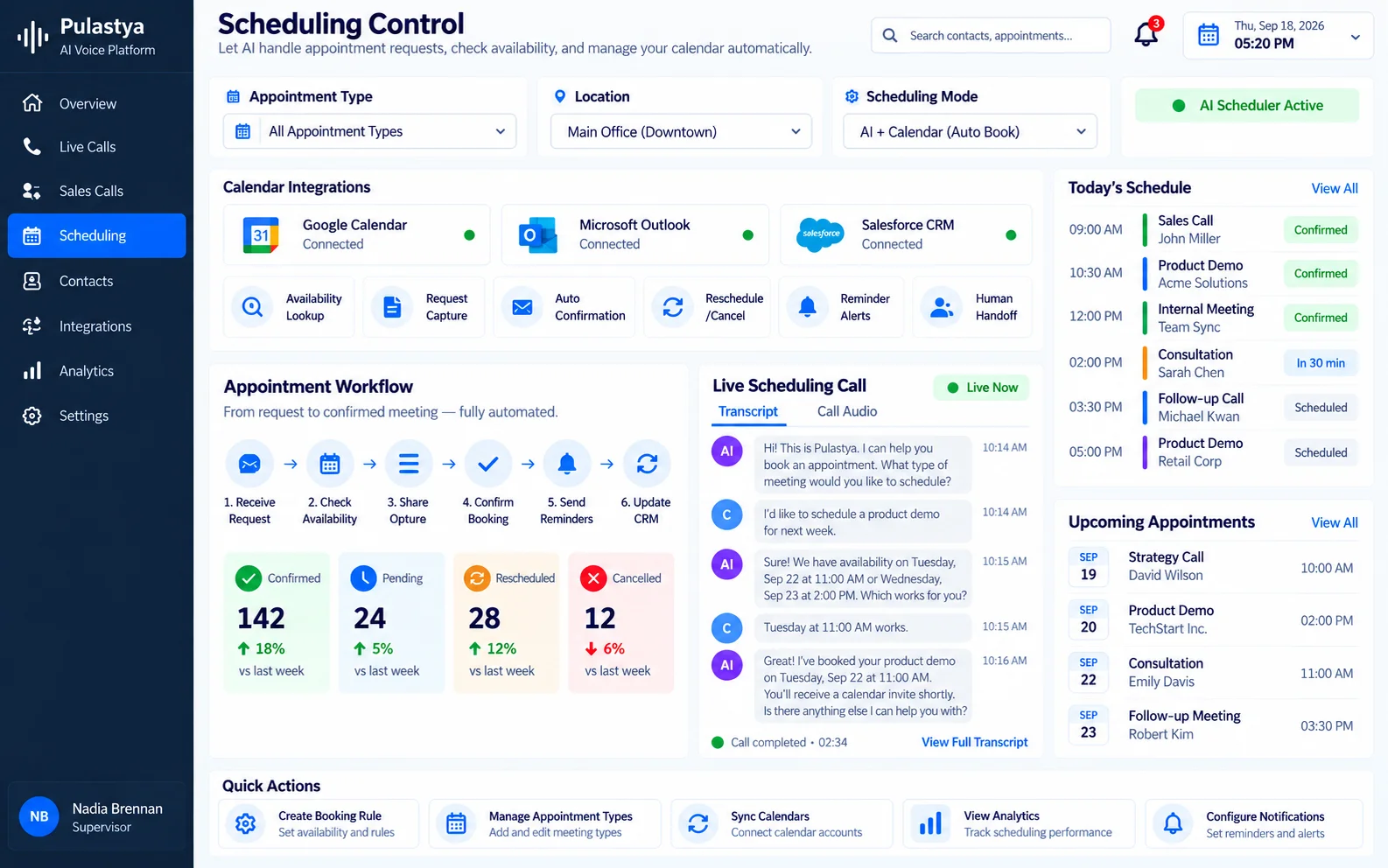
In a typical integration, the voice agent sends the appointment type, location and date range to a scheduling API, receives open slots and offers two or three to the caller. When the caller chooses, the agent holds or creates the booking and reads the result back. Implementation details vary by scheduling system and voice platform.
- Slot conflicts: another booking can take a slot between offer and confirmation, so the agent needs a path to offer the next option.
- Date resolution: phrases like next Friday or the usual time must resolve to an exact date, time and time zone.
- Duplicate bookings: a call that drops mid-confirmation should not leave two appointments for the same person.
- Error handling: if the API times out or fails, the agent should switch to request capture instead of guessing.
Treat the scheduling integration as its own workstream, separate from conversation design. Authentication, response time and failure handling are covered in how voice agents use real-time APIs for live data.
| Factor | Live booking through an integration | Request capture for staff confirmation |
|---|---|---|
| Outcome on the call | Confirmed appointment | Recorded request with preferred times |
| Systems required | Scheduling system with an accessible API | A destination where staff review captured requests |
| Caller expectation | Booking stands unless changed | Staff confirm the time by a stated point |
| Main risk | Integration errors and slot conflicts | Delay, and preferences that no longer fit |
Pulastya, the SDLC Corp voice platform for inbound and outbound business calls, is a worked example of the request-capture model. On a booking call it collects the caller's details, answers booking questions from the approved content the organization provides, and can transfer the call to your team with the conversation context attached.
Every call leaves a transcript and a summary, which is what makes a captured request reviewable before staff confirm a time.
If you want appointments written straight into the system that owns availability, treat that as its own procurement question and put the same three questions to any vendor.
Which scheduling systems can the agent read from and write to today, as opposed to on a roadmap? What does the agent do when that system is slow or unreachable in the middle of a call, and does the caller hear a graceful fallback or silence?
Can a booking the agent created be traced back to the transcript that produced it, so a disputed appointment can be settled from evidence rather than memory?
A platform that captures requests cleanly and hands them over is a legitimate design; one that promises live booking without an answer to the failure case is a risk you will absorb at the front desk.
Collecting Caller Details and Confirming the Date and Time
A scheduling agent should collect only the details the booking requires, confirm each one and repeat the full appointment before ending the call. Over-collection lengthens calls and increases privacy exposure, while under-collection creates a follow-up call. Define required fields per appointment type before launch.
- Identity and contact: full name, callback number and, where the business sends confirmations by email, an email address.
- Appointment specifics: service or reason category, location, provider preference and any accessibility needs.
- Timing: preferred days and time windows, plus dates the caller cannot attend.
- Returning callers: an account or booking reference so the existing record can be matched.
Using CRM Context for Returning Callers
When the agent can look up the caller in a CRM or booking system, it can skip questions whose answers are already on file and recognize an existing appointment. That lookup should be limited to what the call needs. The article on CRM personalization in AI voice agents explains how to use record data without exposing it.
Read-Back Confirmation
Confirmation is where most scheduling errors are caught. The agent should repeat the day of the week with the full date, the time, the location and any preparation instructions. Asking for an explicit yes, rather than treating silence as agreement, prevents quiet mistakes.
Rescheduling and Cancellation Calls
Rescheduling and cancellation calls start with finding the right appointment, not with offering new times. The agent needs enough information to match one booking with confidence, and it should not read out details of other appointments while searching. If it cannot find a match, it captures the request or transfers the call.
Cancellation policies, such as notice periods or fees, should come from approved content and be stated as written. The agent can explain a policy, but waiving it is a staff decision. Recording cancellation reasons in consistent categories gives operations teams a pattern they can act on.
In the example below, set at a vehicle service shop, the agent has scheduling access. Without it, the same call would end with a recorded change request and a stated confirmation time.
Example scenario
Hi, I need to move my car service appointment. It's booked for Thursday morning.
I can help with that. What name and phone number is the booking under?
Dana Price, 555-0142.
Thanks, Dana. I see a full service at the Riverside location on Thursday, October 8 at 9:00 AM. Is that the one you want to move?
Yes. Do you have anything the following week, ideally Tuesday afternoon?
Tuesday, October 13 has openings at 1:30 PM and 3:00 PM. Which works better?
3:00 PM, please.
To confirm: your full service moves from Thursday, October 8 at 9:00 AM to Tuesday, October 13 at 3:00 PM at Riverside, and the Thursday slot will be released. Is that correct?
That's right.
The agent matched the booking before offering times, stated each date with its weekday, and confirmed both the old and new slot. Those habits catch the errors that usually cause a missed or double-booked appointment.
When No Slot Fits: Fallback Options and Human Handoff
When no available time works for the caller, the agent should offer a defined fallback rather than end the call or push an unsuitable slot. The right fallback depends on the business: a waitlist, a different location or provider, a callback from scheduling staff, or a live transfer.
- Waitlist or cancellation list: capture acceptable windows so staff can offer slots that open up.
- Alternative options: a different location, provider or appointment format, where the rules allow it.
- Callback request: record the need and preferred contact times, and state when staff will call.
- Transfer to scheduling staff: for complex, multi-visit or disputed requests that need judgment.
Some scheduling calls should reach a person regardless of availability: an upset caller, a request that suggests an urgent problem, group bookings and anyone who asks for a human. The guide on when AI voice agents should transfer calls explains how to define those triggers.
Transfers on a booking call should land on a destination you configured, such as a scheduling hunt group, rather than on whoever happens to be free. Use a warm transfer so the person picking up already has the conversation context and does not restart the booking from the caller's name.
Equally important is what happens when the agent itself cannot continue: a failover route to a human line means an outage degrades to an ordinary ringing phone instead of a dead number, which on a scheduling line is the difference between a delayed booking and a lost customer.
In clinical settings, a scheduling agent must not assess symptoms or decide how urgent a visit is. Calls that mention a health concern should follow the practice's escalation policy. The page on AI voice agents for healthcare appointment workflows covers those boundaries.
Scheduling During Business Hours and After Hours
The booking workflow stays the same after hours, but the fallbacks change because nobody is available to take a transfer. During business hours, uncertain requests can go to staff immediately. After hours, the agent should book only what the rules allow, capture everything else in detail and give an accurate next-contact time.
- Business hours: transfer complex or disputed requests live.
- After hours with an integration: book standard appointment types and capture exceptions.
- After hours without an integration: capture requests with preferred windows and state when confirmation will follow.
- Urgent requests at any hour: follow the business's urgent or emergency policy instead of offering the next open slot.
The coverage gap that matters on a booking line is after hours, at weekends and during volume spikes, because those are the windows where a scheduling request would otherwise reach voicemail and often never come back.
Measure the gap before you design for it: pull the call log for the last quarter and count how many booking calls arrived when nobody could answer, and how many of those callers ever rang again. For how an agent recognizes closed hours, holidays and genuine urgency, see the guide to handling calls outside business hours.
Decision guide
Scheduling Calls With and Without Integration
| Request | With scheduling integration | Without scheduling integration |
|---|---|---|
| New booking | Offer valid slots and book | Capture preferred windows for staff |
| Reschedule | Match booking, move it, release old slot | Record change request and current booking |
| Cancellation | Cancel and state approved policy | Record cancellation for staff processing |
| No suitable slot | Waitlist, alternative or callback | Callback request with acceptable times |
| Urgent or sensitive request | Transfer or follow urgent policy | Transfer or follow urgent policy |
Integration changes what the agent can complete on the call, but urgent and sensitive requests go to people in both models.
How to Roll Out AI Appointment Scheduling
Start with one or two high-volume appointment types, choose the booking model deliberately and expand only after transcripts show details are captured correctly. Scheduling mistakes reach customers immediately, so a narrow scope with clean fallbacks is the safer first release.
- Map appointment typesList each type with duration, location, required fields, eligibility rules and cancellation policy.
- Choose the booking modelDecide between live booking and request capture for each type, based on what your scheduling system exposes.
- Write fallback and handoff rulesDefine waitlist, callback and transfer behavior, including how each changes after hours.
- Test the hard casesInclude ambiguous dates, unusual name spellings, slot conflicts, dropped calls and callers who change their mind.
- Audit bookings against transcriptsCompare what callers said with what was booked or captured, and fix the rules behind any mismatch.
To see how booking-request handling, answers grounded in approved content, call summaries and transfers that carry context fit together in one system, review the AI voice agent platform for business calls built by SDLC Corp.
Before you plan any scheduling integration it is worth reviewing the routing and call screens, because the transfer destination and failover settings decide what happens on exactly the calls the agent cannot finish, and those are the calls a booking line can least afford to drop.
Conclusion
AI appointment scheduling works best when every call ends with a clear outcome: a confirmed booking, a recorded request or a defined handoff. Whether the agent books through a live scheduling integration or captures preferred times for staff, accurate caller details, explicit date and time confirmation, and reliable fallback rules are what prevent avoidable scheduling errors.
Start with a small set of appointment types, test rescheduling, cancellations and after-hours requests, then review call transcripts against booking records before expanding. Choose a solution based on the scheduling access it actually supports and how it handles conflicts, unavailable slots and transfers, so customers always know what happens next.
Frequently Asked Questions
Only if it is connected to the scheduling or calendar system that holds availability. Then it can search open slots, create the booking and confirm it during the conversation. Without that connection, the agent records preferred times and details for staff to confirm. Check integration support with any vendor before planning live booking.
The agent should follow a fallback you define: add the caller to a waitlist, offer another location or provider if the rules allow, record a callback request or transfer the call to scheduling staff. It should not push an unsuitable time or end the call without a clear next step.
Yes, provided it can identify the existing appointment reliably. The agent confirms which booking is changing, states the approved rescheduling or cancellation policy and reads the change back. Without scheduling access, it records the change request for staff. Policy exceptions, such as waiving a late-cancellation fee, should stay with staff.
After-hours booking is a common reason to deploy one. With an integration, the agent can book standard appointment types outside staffed hours. Without one, it captures requests and states when staff will confirm. Urgent requests should follow the business's urgent policy rather than simply receiving the next open slot.