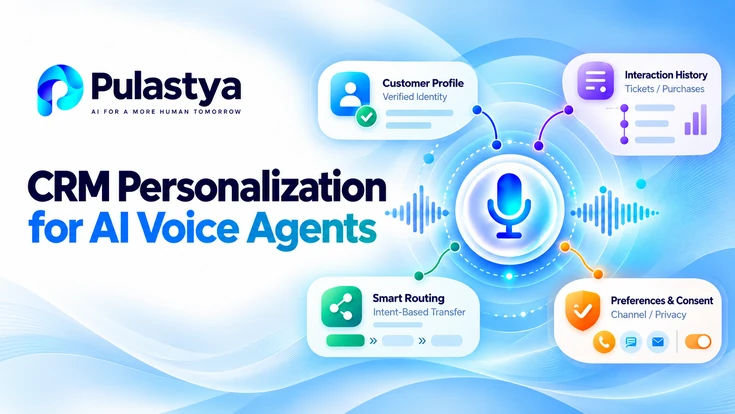
Enterprise contact centers can move beyond scripted prompts by using CRM personalization to make AI voice agents context-aware, efficient, and aligned with business rules.
When CRM records drive what the voice agent says and does, calls start with accurate intent routing, respect customer preferences, and reduce handle time without sacrificing compliance or escalation quality.
- Context-first personalization Use verified CRM attributes to drive greeting, authentication, and intent routing before any open-ended dialogue to reduce friction and false starts.
- Operational constraints Design for predictable lookup latency, graceful degradation when data is missing, and audit trails for decisions that affect customers or regulatory compliance.
- Measure and iterate Instrument both business KPIs and model-level signals to tune which CRM fields materially change outcomes and which add unnecessary complexity.
CRM personalization means mapping concrete customer data to runtime behavior in an AI voice agent. That includes identity attributes, product holdings, past interactions, open tickets, and propensity signals.
For enterprise deployments, the design focus must be operational: predictable latency for lookups, fallback logic when records are stale, and clear ownership of data quality. Those constraints shape how personalization is implemented and measured.
The payoff is operational and commercial: faster resolutions, higher first-call resolution rates, and fewer transfers to human agents when the AI agent can act on verified account context.
Implementation requires collaboration across CRM, security, contact center engineering, and analytics teams. Precise design patterns, sample call flows, explicit tradeoffs, and a phased roadmap let teams adapt personalization to existing contact center architectures.
How CRM Data Shapes AI Voice Agent Personalization
Start by classifying CRM fields into runtime categories: identity and authentication, entitlement and product state, interaction history, and behavioral signals. Identity fields drive verification early in the call; caller ID can suggest a match but can be spoofed, so hold account-specific details until the caller is verified.
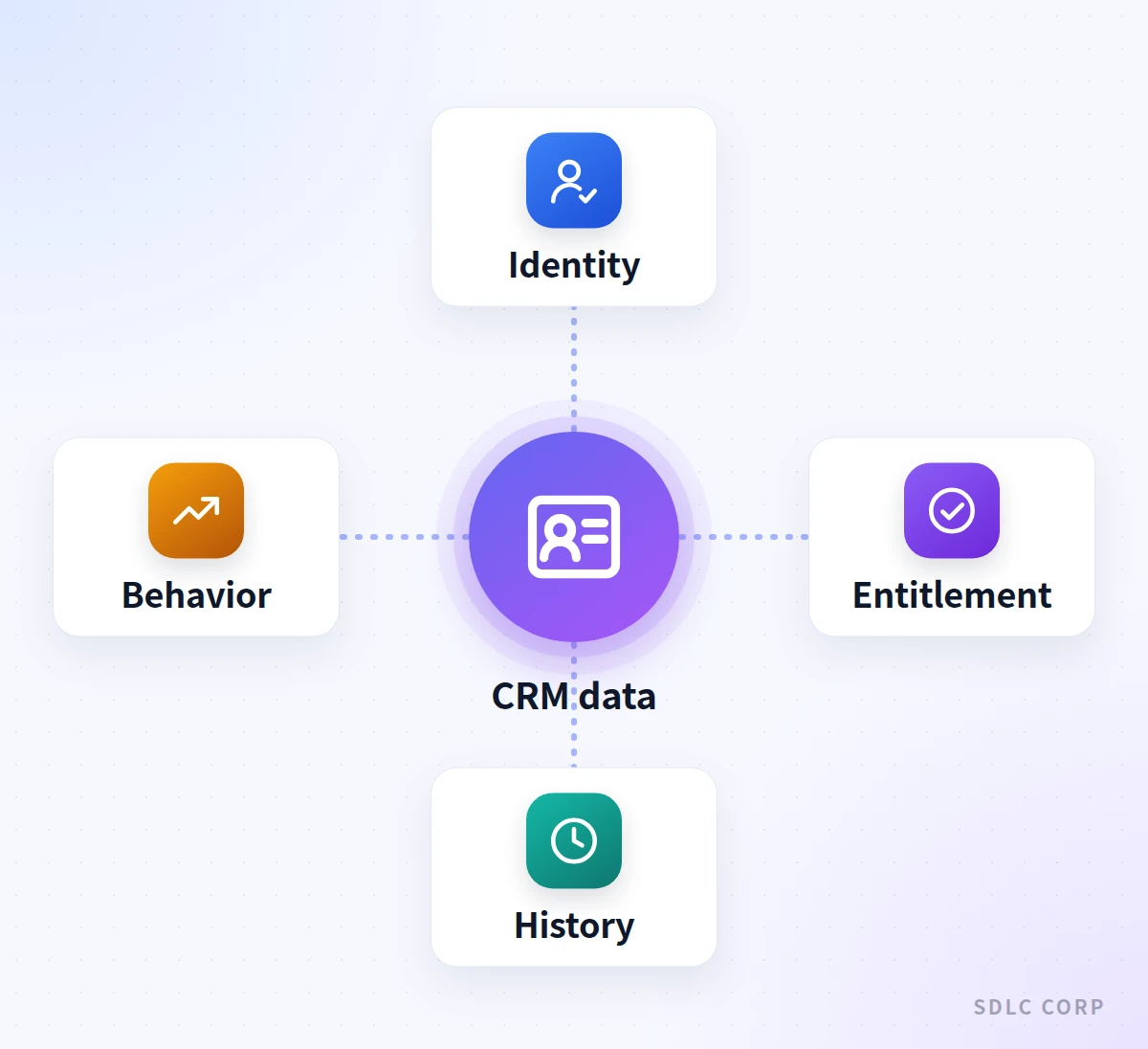
Entitlement fields determine whether self-service or human escalation is allowed. Interaction history and signals tune phrasing and suggested actions. Treat each category differently for freshness and validation.
Map each category to concrete agent behaviors. For example, if entitlement shows an active subscription, enable automated self-service for billing changes; if not, route to a representative. For interaction history, suppress redundant prompts when a recent ticket exists. Document the mapping in a decision matrix that engineers and product owners sign off on to avoid ambiguous behavior during edge cases.
Operationalize where lookups occur: at call initiation, after intent detection, or on demand mid-dialog. Each choice affects latency and resilience. Pre-fetching account summaries reduces turn latency but increases load on CRM. On-demand lookups minimize unnecessary queries but can cause mid-call delays. Define SLOs for lookup latency and implement circuit breakers to maintain call quality under peak load.
- Classify CRM fields by runtime sensitivity and freshness requirements.
- Use a decision matrix to map fields to agent behaviors and escalation rules.
- Set lookup SLOs and implement timeouts and circuit breakers.
- Prefer compact pre-fetched summaries for common tasks to minimize round trips.
- Log all lookups with correlation IDs for post-call auditing.
Not all CRM fields should be used at runtime; choose fields that materially change agent decisions.
What Real-Time Context Lookup Looks Like in a Call
A real-time lookup workflow typically starts with call metadata handed to a middleware layer that performs a primary key resolution. That middleware can query CRM microservices to return a lightweight account blob used for greeting, entitlement checks, and suggested micro-actions.
Keep blobs to a few kilobytes so they serialize quickly and stay simple to cache at the voice agent layer.
Design fallback logic for missing or inconsistent CRM values. If the account blob lacks a verified phone number, the agent should prompt a short verification flow rather than assuming identity.
For critical actions, require re-authentication or transfer to a human. Maintain a visible indicator in the call record describing which fields were verified, inferred, or missing to support downstream dispute resolution and compliance reviews.
Optimize for call concurrency and peak load by adding a caching tier with short TTLs and a write-through pattern for updates that affect active sessions.
Use a request-scoped cache keyed by call id and account id to avoid repeated lookups within the same call. Monitor cache hit rates and set alerts for cache stampedes that could cascade into CRM load spikes.
Close the loop when the call ends. Write the outcome, any values the caller corrected, and a record of which fields shaped the conversation back to the CRM or an audit store, so the next interaction starts from current data.
- Resolve primary key early in middleware to drive subsequent behavior.
- Return a compact account blob optimized for voice decisions, not full records.
- Implement verification prompts when critical fields are missing or unverified.
- Use request-scoped caching and short TTLs to balance freshness and latency.
- Instrument lookup outcomes for audit and quality control.
Treat real-time lookups as a system of micro-interactions, not a single database call.
CRM personalization loop
From a Verified Caller to a Personalized Call and a CRM Write-Back
- Identify and verify the callerCaller ID suggests a match; hold account details until verification passes
- Fetch permitted CRM fieldsMiddleware returns a compact blob with masking, consent and freshness applied
- Personalize greeting and routeAcknowledge open tickets or plan; entitlement decides self-service or a human
- Write back the outcomeLog the outcome, caller corrections and fields used to the CRM or audit store
Possible outcomes
- Field missing or staleAsk a short verification question instead of assuming
- Action not entitledHand off with the same verified context the AI agent used
Personalization only uses fields that passed verification, consent and freshness checks, and every call ends by writing its outcome back.
How to Prioritize CRM Fields for Effective Personalization
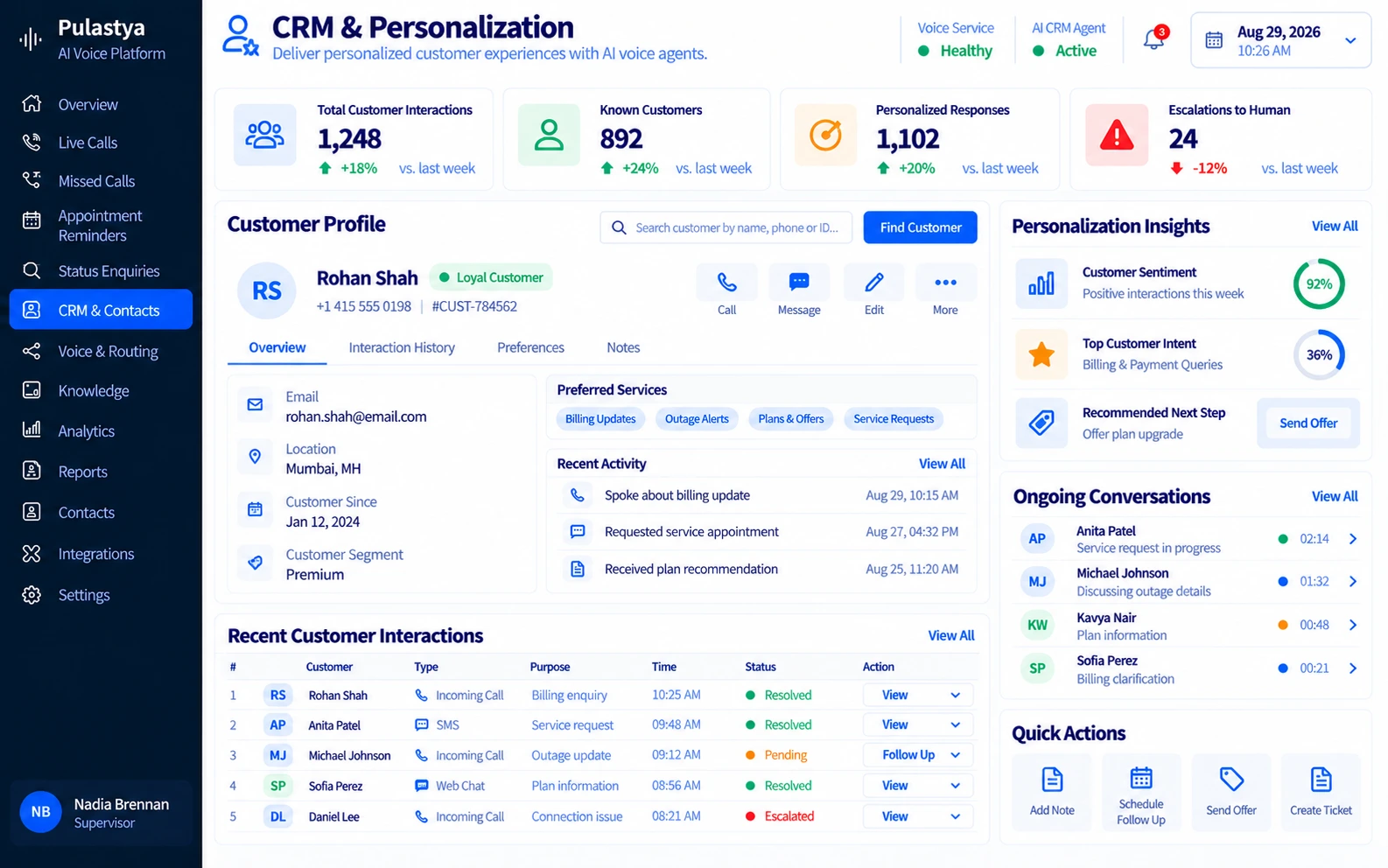
Prioritization should be driven by measurable impact on call outcomes. Start with a lightweight A/B framework that toggles use of candidate fields and measures their effect on handle time, escalation rate, and customer satisfaction.
Typical high-impact fields include current service status, open tickets, recent purchases, and preferred contact channel. Low-impact fields often add complexity without improving outcomes, so retire them.
Create a taxonomy that ranks fields by verification cost, volatility, and decision impact. Verification cost measures the effort to confirm accuracy during a call. Volatility measures how often the field changes. Decision impact measures how much the field changes agent behavior. Prioritize fields with low verification cost, low volatility, and high decision impact for automation paths.
Translate prioritization into engineering constraints. High-priority fields require synchronous low-latency access and stronger monitoring. Medium-priority fields can be accessed asynchronously and used for suggestions rather than hard decisions. Low-priority fields should be available in post-call analytics only. This reduces runtime complexity and improves predictability of the voice agent under load.
- Use experiments to quantify field impact on core KPIs before broad rollout.
- Rank fields by verification cost, volatility, and decision impact.
- Grant synchronous priority to fields that must drive routing and authorization.
- Use medium-priority fields for suggestions, not hard gating decisions.
- Prune low-impact fields from runtime to reduce cognitive and engineering load.
Prioritize fields that reduce friction and avoid adding fields that only increase branching logic.
How to Design Conversation Flows That Honor Customer History
Design flows that surface relevant history at the moment it matters. For example, if an open support ticket exists, the agent should open with a concise acknowledgment and a one-sentence summary of the latest ticket state, then offer to continue with that ticket or start a new request.
Avoid repeating full histories; provide layered detail on demand. That keeps interactions efficient while preserving transparency.
Enable context-aware handoffs so human agents inherit the same CRM-derived state the voice agent used. Pass structured summaries, recent utterances, and the account blob to the agent desktop.
Define which fields should be editable during handoffs and which require reconciliation to avoid state drift. Also create fallbacks when the agent cannot perform an action due to missing entitlements, and escalate with suggested next steps.
Control adaptive phrasing to respect customer preferences stored in CRM. If a customer prefers terse interactions, the agent should present concise options. If the record indicates language preference or accessibility needs, the agent should adapt voice settings and prompt styles. Keep preference toggles explicit and editable so customers can update interaction style mid-call, which improves long-term satisfaction.
- Surface only the history needed for the task, with layered detail on demand.
- Pass structured context to humans during handoffs to avoid repeated verification.
- Mark editable vs non-editable fields in handoffs to prevent state drift.
- Honor stored interaction preferences for phrasing and accessibility.
- Provide scripted escalation options when entitlements prevent automated resolution.
Design handoffs so the human sees the same verified context the AI agent used.
How to Handle Data Freshness, Privacy, and Compliance
Data freshness requirements must align with business risk. For authorization and billing changes, use strongly fresh data and require re-verification when the last update exceeds a conservative threshold. For preference-based personalization, longer TTLs are acceptable. Document freshness windows per field and bake them into lookup logic so automatic decisions have an auditable freshness stamp.
Privacy and regulatory constraints must be enforced at the middleware layer that performs lookups. Apply attribute-level masking for agents and voice logs based on role-based access controls and regulatory needs.
For example, mask payment instrument details unless the session has tokenized authorization and a business justification. Record consent status and only present or use fields where consent was granted for voice interactions.
Implement audit trails that log which CRM fields influenced each decision and who accessed them. Store these logs in an immutable, searchable store for dispute resolution and compliance checks. Automate retention policies that purge PII according to corporate and legal rules, and ensure voice transcripts and related CRM snippets follow the same retention schedule.
- Define and enforce freshness windows per field tied to business risk.
- Perform attribute-level masking and RBAC at the middleware lookup layer.
- Log field-level decisions for audit and dispute resolution.
- Store consent flags and check them before using sensitive attributes.
- Apply uniform retention policies to transcripts and correlated CRM snippets.
Make freshness, masking, and consent part of the lookup contract, not ad hoc decisions.
How to Measure Impact and Iterate Personalization Logic
Instrument both business KPIs and model-level signals. Business KPIs include handle time, escalation rate, self-service completion rate, and customer satisfaction. Model-level signals include confidence scores for intent detection and field verification rates. Correlate these signals with the presence or absence of specific CRM-driven behaviors to identify what actually moves the metric needle.
Use controlled rollouts and feature flags to run experiments safely. Test one personalization change at a time against a holdout group and report both hard outcomes and quality measures like failed verifications and unexpected escalations. Maintain a change log with experiment inputs, runtime rules, and measurable outcomes so stakeholders can approve full production rollout based on evidence.
Create a feedback loop from quality assurance, frontline agents, and dispute teams back into the decision matrix. Capture edge cases where personalization caused friction and adjust rules or field prioritization accordingly. Schedule quarterly reviews of the field taxonomy and decision matrix to retire stale rules and promote new high-impact attributes discovered by analytics.
- Correlate business KPIs with model-level signals to identify causal impact.
- Use feature flags and controlled rollouts to minimize production risk.
- Keep a change log tying experiments to measurable outcomes for stakeholder review.
- Ingest frontline feedback into the decision matrix and prioritize fixes.
- Schedule periodic reviews to prune complexity and adopt new high-impact fields.
Measure what matters and use evidence to expand or prune personalization rules.
Implementation Roadmap and an Example Scenario
Begin with a discovery sprint to inventory CRM fields, map owners, and classify fields by verification cost, volatility, and decision impact. Deliver a prioritized list of five fields to pilot.
Implement a lightweight middleware that returns an account blob and enforces masking and consent. Build feature flags and telemetry from day one so you can measure impact and iterate without risking core operations.
Example: a telecom operator pilots three fields: active plan, recent outage flag, and preferred channel. After a quick verification step, the agent references the active plan and offers immediate outage status if the recent outage flag is true. The middleware masked tokenized payment info and passed a verified account id.
After two weeks, the team compares transfer rates for outage-related calls against a holdout group before deciding on a wider rollout. If external partners build custom integrations, keep control of data ownership and compliance.
Operationalize by integrating with call recording, ACD, and workforce management. Train human agents on new handoff screens and verification points. Run a phased rollout by customer segment, monitor KPIs, and maintain a rollback plan. Document runbooks for common failures like lookup timeouts and provide a clear escalation path to CRM owners to fix underlying data issues.
- Start with a discovery sprint and a five-field pilot to limit complexity.
- Implement middleware that enforces masking, consent, and TTLs for fields.
- Use feature flags, telemetry, and a rollback plan for safe rollouts.
- Train agents on new handoff screens and verification steps before rollouts.
- Coordinate with CRM owners to resolve data quality issues surfaced by pilots.
Pilot with a small set of high-impact fields and scale after measurable improvement.
For the system integrations behind these lookups, see CRM, ERP and ITSM integrations.
Personalization should remain distinct from permanent memory. Conversation context in voice AI explains what the current interaction should retain, while multi-intent handling covers how that context affects several requests in one call.
CRM context is especially valuable on sales calls. The guides to the qualifying leads by voice and to AI voice agents for sales calls show how lead history shapes questions, routing and follow-up.
Conclusion
CRM personalization helps AI voice agents respond with relevant customer context rather than relying solely on generic prompts. By using verified CRM fields such as service status, support history, and communication preferences, enterprise contact centers can design more useful self-service conversations and better-informed human handoffs.
Effective personalization depends on accurate data, appropriate verification, timely lookups, privacy controls, and clear escalation rules. Start with a small number of high-impact CRM fields, measure outcomes such as resolution quality, transfers, and customer satisfaction, and expand the approach only when results support it. This keeps AI voice experiences relevant while protecting customer trust and operational reliability.
Frequently Asked Questions
Avoid using highly sensitive raw PII like full payment card numbers or untokenized SSNs at runtime. Also avoid fields that change often and are costly to verify during a call, because they cause inconsistent behavior. Mask or tokenize sensitive attributes and use them only in verified, auditable flows.
Limit synchronous lookups to a compact account blob, implement short TTL caches, and use circuit breakers to fail gracefully to a baseline flow. Pre-fetch summaries where appropriate and move noncritical enrichment to asynchronous post-call processes.
Provide a simple correction path: short verification prompts, capture the corrected value, and flag the CRM owner for reconciliation. Log corrections with correlation IDs so the data team can trace and fix root causes and reduce repeat errors.
Store consent flags in CRM and enforce them at lookup time. Apply attribute-level masking and RBAC, log accesses for audits, and align retention policies for voice transcripts and CRM snippets with legal and corporate rules.
Use controlled experiments and operational guardrails. For pilot fields, iterate weekly based on telemetry. For broader rollouts, move at a cadence of monthly or quarterly reviews, prioritizing changes that show clear KPI improvements and low operational risk.