The voice AI vs chatbot choice depends on interaction fit, not on whether both channels can be labeled conversational AI. The right option depends on urgency, whether the task needs a screen, how much friction the user will tolerate, and how often a human has to take over.
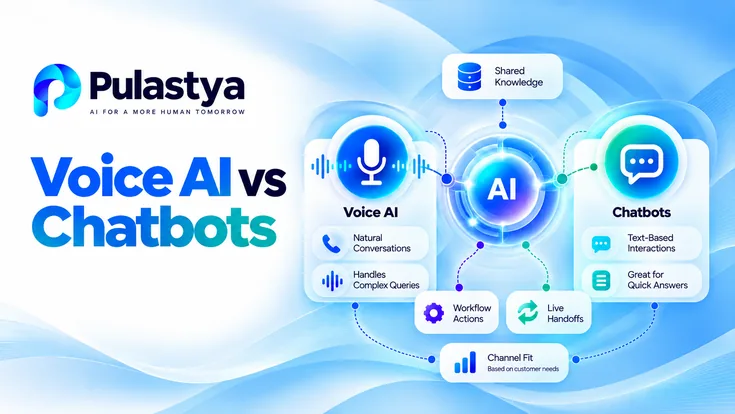
- Voice advantage Voice works well for urgency, hands-free access, and phone-first service moments.
- Chat advantage Chat is better for visual detail, asynchronous follow-up, and link-heavy tasks.
- Shared foundation Both channels benefit from approved knowledge, workflow control, and clean escalation design.
That is why the decision should start with the business process rather than with channel fashion. Some interactions are improved by immediacy and spoken repair. Others need persistent text, clickable options, or visual detail that is simply easier to handle in chat.
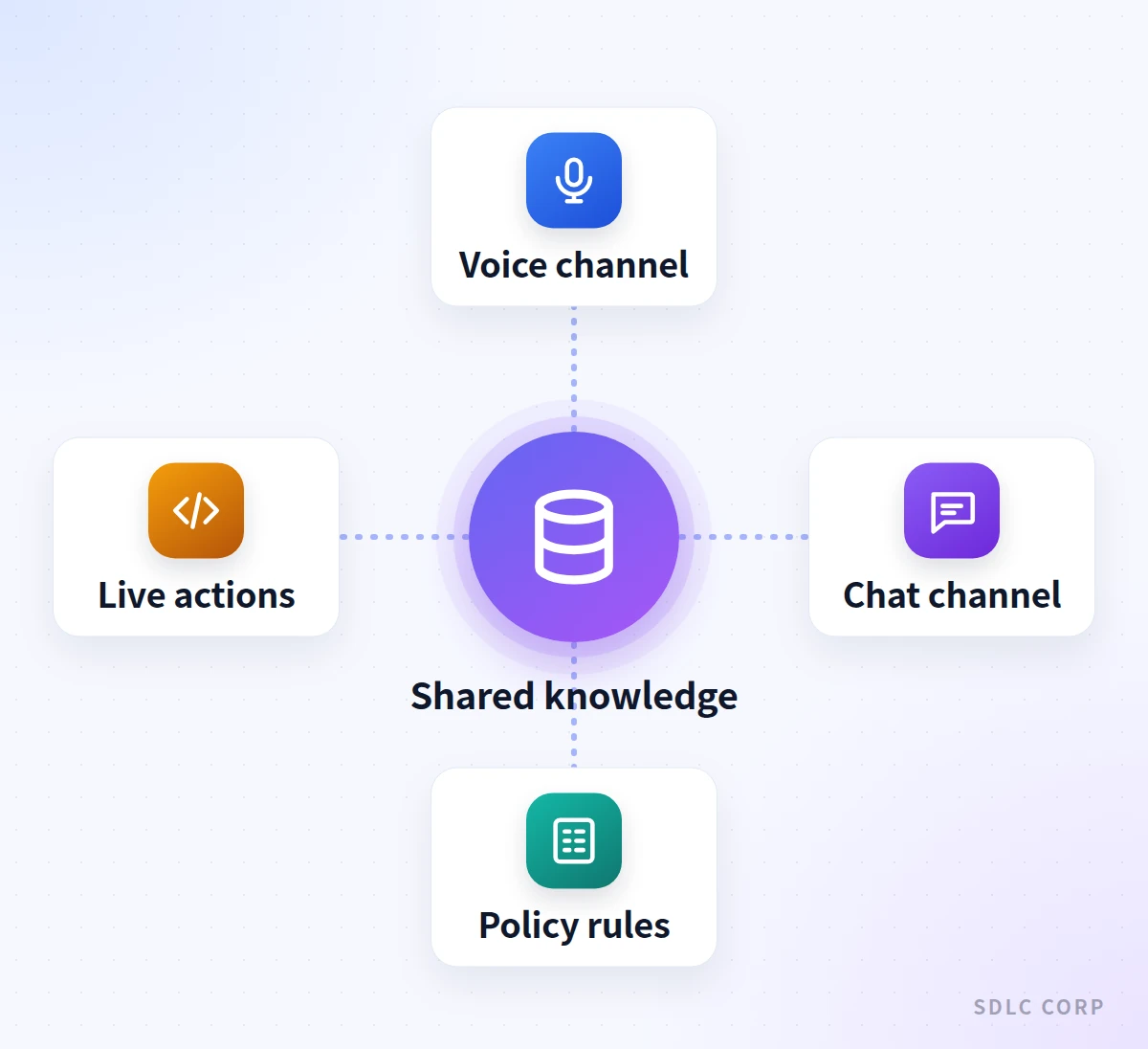
Voice AI and Chatbots Solve Different Interaction Problems
The first mistake in channel planning is assuming the tools are substitutes because they both use conversational AI. An AI voice agent can manage live phone conversations where timing, interruptions, and audio continuity matter. A chatbot handles typed interaction where the user can read, pause, scroll, and review options at their own pace.
Those differences shape the whole operating model. Voice has to manage recognition quality, turn-taking, and recovery when the user changes direction mid-sentence. Chat has more room for buttons, lists, screenshots, and links that would be awkward or impossible to deliver clearly in audio.
That means the channel decision should follow the job being done. The better question is not which channel is more advanced, but which one matches the interaction constraints of the moment.
Channel fit
Where Voice AI and Chatbots Differ in Practice
| Aspect | Voice AI agent | Chatbot |
|---|---|---|
| Input | Spoken requests; recognition quality and interruptions matter | Typed text, buttons, links and uploaded files |
| Pace | Real time; every pause is felt on the call | User reads, scrolls, pauses and returns later |
| Confirmation style | Short spoken read-back and one follow-up question at a time | Visible options, fields and history the user can review |
| Escalation | Warm transfer or queued callback with a concise summary | In-thread handoff; the agent reads the visible transcript |
| Best-fit requests | Urgent, hands-free and phone-first service moments | Visual comparison, documents and asynchronous follow-up |
The same knowledge and policies can sit behind both channels, but pace, confirmation and handoff mechanics change with the modality.
Where Voice Is Stronger: Immediacy, Hands-Free Use and Phone-First Customers
Voice is strongest when the user needs immediate progress and cannot reasonably navigate a screen. That includes phone-first service environments, field contexts, driving, accessibility needs, or moments where the fastest path is to speak the request and keep moving.
It is also strong when the next step depends on live service context. Personalizing a voice conversation with CRM data lets the agent bring account context, open tasks, or recent interactions into the call without forcing the caller to search through a chat window or website for the right starting point.
The key constraint is latency. Spoken interactions feel broken quickly when the system responds slowly, asks for too much repetition, or tries to present too many options verbally.
Where Chat Is Stronger: Visual Detail, Links and Asynchronous Conversations
Chat wins when the user needs to compare options, review links, upload supporting material, or return to the conversation later. It is also often better for tasks that benefit from visible transcripts, forms, or structured menus that would be cumbersome to hear out loud.
That does not remove the need for people. A well-designed approach to AI and human handoffs can be simpler in chat because the conversation history remains visible to the receiving agent.
Chat is therefore a strong fit for lower-urgency interactions, documentation-heavy tasks, or support motions where the user expects to multitask and come back rather than stay in a continuous live exchange.
Latency and Turn-Taking Requirements in Voice
Voice is more demanding than chat because the user experiences every delay in real time. Response timing, interruption handling, short-term conversational memory, and repair behavior are central to the experience. A pause that feels acceptable in chat can feel like failure on a phone call.
Turn-taking also changes design choices. Spoken responses should be concise, and the agent should know when to confirm, when to ask one follow-up question, and when to transfer instead of stretching the exchange into a dense spoken monologue.
This is one reason some organizations overestimate chat portability. The same knowledge base and workflow logic may support both channels, but the interaction contract is different once the conversation becomes audio-first.
Knowledge and Workflow Layers Shared Across Channels
The channels diverge at the interaction layer, but they can still share core systems. Approved knowledge, workflow actions, identity controls, and analytics often belong in a common orchestration layer so the business is not rebuilding the same answer and action logic twice.
The important discipline is separation of concerns. Use approved knowledge for governed answers, authorized live systems for current state or actions, and explicit policy rules for hard boundaries. That model works across channels even when the presentation layer behaves very differently.
Shared orchestration is what makes omnichannel realistic. Without it, voice and chat may each look polished while quietly duplicating content, rules, and operational effort behind the scenes.
Escalation Differences Between Voice and Chat
Escalation in voice usually needs a warm transfer or a queued callback with context. Escalation in chat can often happen in-thread, with the agent inheriting the transcript and continuing the same interaction. That makes the handoff mechanics different even when the underlying escalation policy is shared.
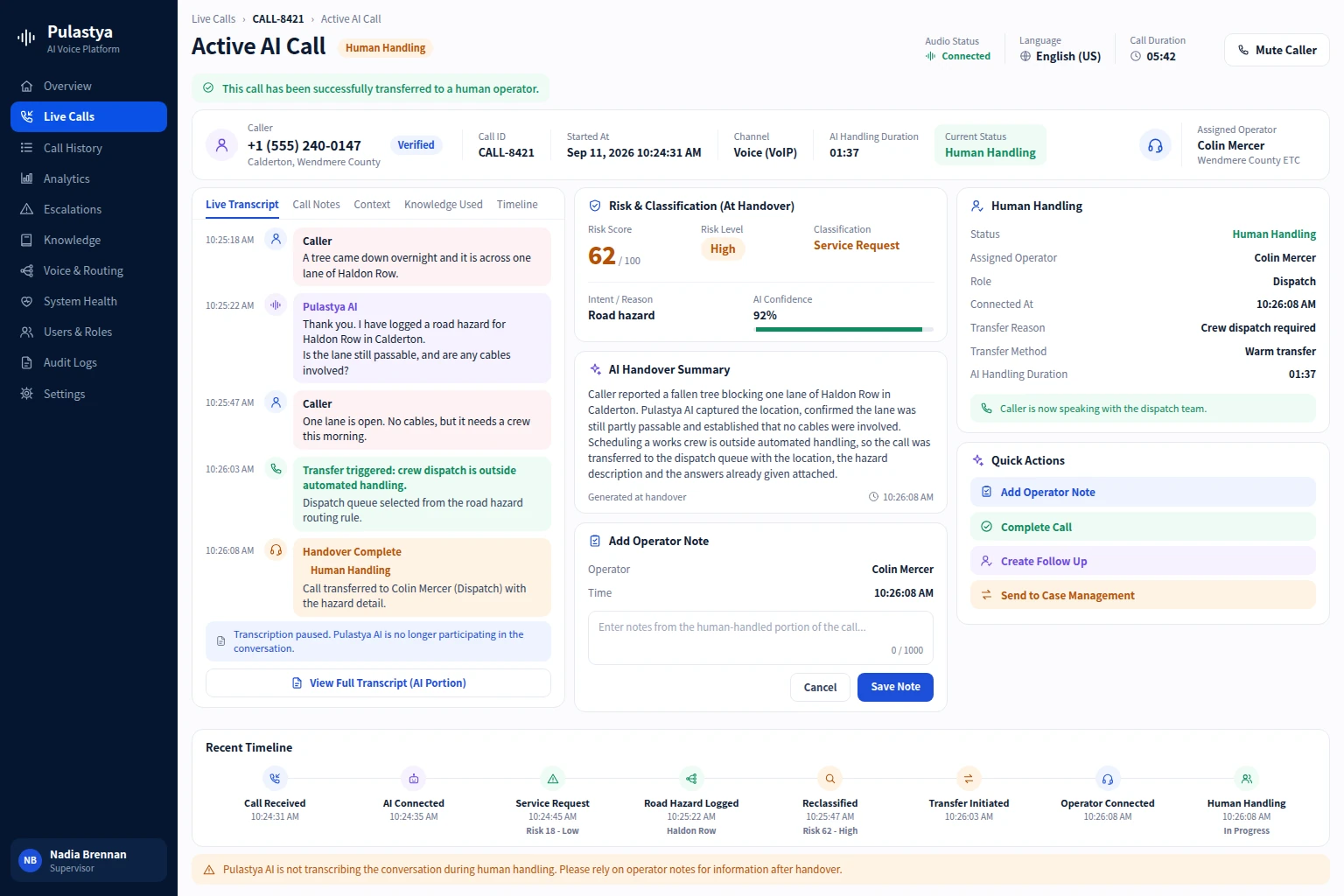
Voice therefore benefits from very concise context packaging: who the caller is, what they want, what the AI attempted, and why the call is being escalated now. Chat can preserve more visible detail because the next person can read it directly rather than absorb it through a spoken handoff summary.
The escalation rule should match the channel. A policy that works in chat may feel too slow or too opaque in voice if it does not account for live caller patience.
How to Choose a Channel by Business Process
A useful way to choose is to score the process against urgency, need for visual detail, likelihood of interruption, field environment, and handoff complexity. High urgency with low need for visual review often favors voice. Lower urgency with heavier visual comparison or document sharing often favors chat.
Another useful filter is the cost of delay. If the user needs a fast answer while moving, a phone-first flow may be the only channel that feels natural. If the task benefits from visible options or later follow-up, chat may create less friction and fewer misunderstandings.
The best channel is usually the one that reduces avoidable rework. If voice gets the user to a decision faster but then forces the team to send a form anyway, chat may be the better starting point. If chat delays a time-sensitive handoff, voice may be the safer front door.
| Process signal | Voice AI fit | Chat fit |
|---|---|---|
| Urgent service issue | High, when the caller needs immediate guided progress | Lower, unless the issue can wait and needs visual proof |
| Form-heavy request | Moderate, only if the field set is small and guided well | High, when the user benefits from seeing fields and links |
| Complex exception handling | High if human transfer must happen live | High if the team can continue asynchronously in-thread |
Why Many Organizations Need an Omnichannel Architecture
Many organizations do not need to pick one winner. They need a shared operating model where voice and chat can use the same approved knowledge, workflow actions, and policy controls while still respecting channel-specific interaction rules.
That is especially useful when a customer interaction begins in one channel and finishes in another. A user might start in chat for detail, then call when the issue becomes urgent. Or they might start by phone and receive a follow-up link that completes the process in text.
Omnichannel works best when the orchestration layer is shared and the conversation rules are channel-specific. That keeps the business consistent without flattening voice into chat or chat into voice. It also gives operations teams one place to manage knowledge, workflow permissions, and escalation logic as customers move between channels.
That architecture also improves measurement. Teams can compare where interactions begin, where they switch channels, and where human intervention is still needed without maintaining separate rule sets that quietly drift apart over time.
Conclusion
Voice AI and chatbots should be chosen by interaction fit, not by hype. Voice is strongest where immediacy and live guidance matter. Chat is strongest where visibility, review, and asynchronous progress matter. Many businesses will need both, but they should not design both channels as if they behave the same way.
SDLC Corp designs enterprise AI workflows around channel fit rather than treating voice and chat as interchangeable. Pulastya provides a concrete voice-automation reference for teams deciding how voice should fit within that broader service model.
Teams choosing between the two channels can review the Pulastya conversational voice platform, which answers calls from uploaded business documents and transfers the caller to a person with the conversation context when it cannot help.
If the phone channel wins your comparison, the overview of inbound AI voice agents for business calls explains what to automate first and how to evaluate a platform.
Frequently Asked Questions
Yes, if the knowledge is governed and the orchestration layer is shared. The answer content can be common even though the delivery style and escalation behavior differ by channel.
Voice is usually better when the issue is urgent, the user is hands-free or phone-first, or the interaction needs live guidance and a fast route to a human if things change.
Chat is better when the task depends on visual comparison, links, documents, or an asynchronous exchange that the user can pause and resume without staying on a live call.
Because customers often move between channels. Shared knowledge, workflow logic, and policy controls help the business stay consistent while still designing voice and chat for their different interaction constraints.