Document accessibility engineeringWCAG 2.2 AA

Document accessibility remediation software

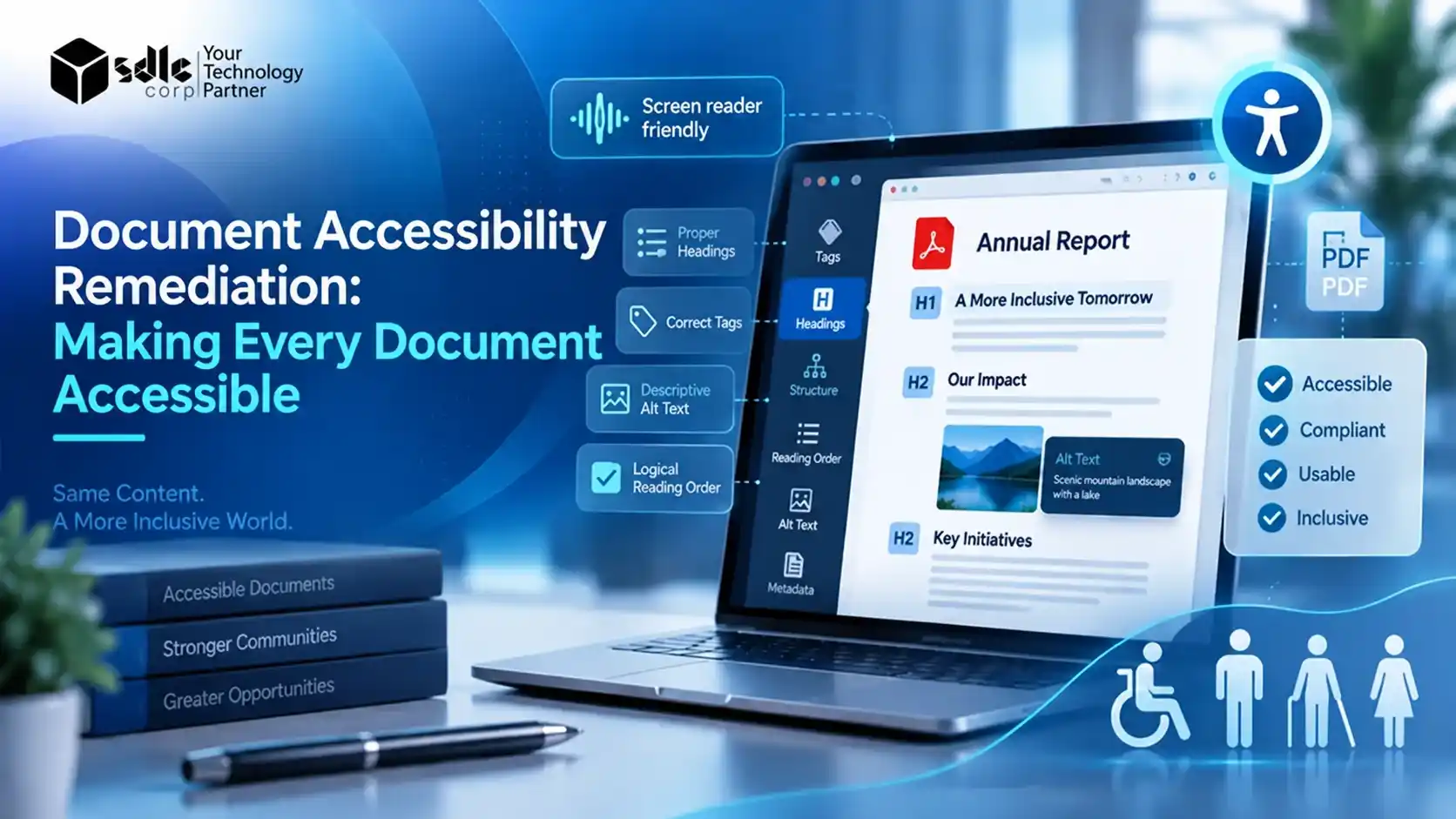
Custom software development services that turn PDFs, Word files, slide decks and scans into WCAG 2.2 AA and PDF/UA conformant documents at scale.

1,200+Engineers
400+AI specialists
30+Countries served

Trusted by enterprise teams, associations and universities across 4 continents

Powered by leading cloud & AI platforms

Recognized by leading industry reviewers

Awards & industry recognition

Why now

Accessibility deadlines are already here

Accessibility rules cover the PDFs, forms and office files you publish. The DOJ rule for public entities adopts WCAG 2.1 AA, as the ADA.gov fact sheet on the web rule explains.

Manual fixing cannot keep up with thousands of files. Custom software lets AI handle the structure work and sends only uncertain items to your reviewers.

In force

June 28, 2025

European Accessibility Act

Covers e-books, banking and other digital services sold in the EU.

In force

May 11, 2026

HHS Section 504

Healthcare organisations that receive HHS funding.

Next

April 26, 2027

ADA Title II

State and local governments serving 50,000+ people.

Upcoming

April 26, 2028

ADA Title II

Smaller public entities and special districts.

Our services

Remediation software we build

Every engagement is shaped around your document families, volumes and review team. It is the same practice behind our Custom Software Development Services, applied to one of the hardest problems in accessibility.

01

Core engine

Custom PDF remediation engines

Tag tree generation, reading order, role mapping, table headers, bookmarks, language and metadata fixes, all written to PDF/UA-1 and WCAG 2.2 AA.

02

AI

AI auto-tagging models

Layout detection trained on your own documents to classify headings, lists, tables, figures, footnotes and artifacts, with confidence scores that decide what needs review.

03

Scale

Bulk remediation pipelines

Queue-based batch processing for statements, notices, reports and archives, with retries, audit logs and a conformance report for every file.

04

Human in the loop

Human review workbench

A browser editor where remediators confirm uncertain tags, fix reading order visually and approve alt text without working in the raw tag tree.

05

Generative AI

AI alt text and form labelling

Vision-language models draft alt text for photos, charts and diagrams, and label form fields with names, tooltips and tab order.

06

At the source

Accessible document generation

Accessibility built into templates and customer communication output, so statements, letters and reports are tagged when they are created.

07

Office and EPUB

Word, PowerPoint, Excel and EPUB tooling

Checkers and fixers for heading styles, slide reading order, spreadsheet headers and EPUB accessibility metadata, including DAISY Ace checks.

08

OCR

Scanned document remediation

OCR, layout reconstruction and tagging for image-only PDFs, handwritten forms and historical records that have no usable text layer.

09

Quality

Validation and QA automation

Automated checks against the Matterhorn Protocol and WCAG, screen reader test plans and dashboards that turn results into audit-ready evidence.

Build vs buy

PDF remediation software vs services

There are three ways to fix documents at scale. Most organisations with recurring volume combine them, so it helps to know where each one fits.

FactorCustom software by SDLC CorpLicensed remediation toolPer-page remediation service
Best forRecurring, high-volume document families and product teams embedding accessibilityIn-house staff fixing individual filesOne-off backlogs and specialist documents
VolumeThousands to millions of pages, processed in batchesLimited by staff hours per fileLimited by vendor capacity and turnaround
Document fitModels trained on your layouts and templatesGeneric detection, tuned by handExpert handling of each file
Data controlRuns in your cloud or on premisesDepends on the vendorFiles leave your environment
IntegrationConnected to your CMS, DMS, LMS or output systemsMostly manual upload and downloadManual hand-off
Cost modelBuild cost, then low marginal cost per pageAnnual licences per seatOngoing cost per page
OwnershipYou own the code, workflow and trained modelsVendor roadmapVendor process

Need a ready platform instead of a custom build? Our own Limina ADA & WCAG document accessibility remediation software scans sites and PDFs, ranks fixes by root cause and keeps compliance evidence. We often start with Limina and build custom modules around it.

Industries

Document remediation by industry

These sectors publish the most documents to the public and face the clearest legal duties to make them accessible.

Government and public sector

Agendas, minutes, permits, budgets and public notices for cities, counties, states and special districts preparing for ADA Title II. Read more in our guide to AI for Government.

Higher education

Syllabi, course readers, lecture slides and research papers pulled from LMS platforms and remediated before a student has to ask. See our EdTech App Development Services.

Healthcare

Patient notices, benefit summaries, consent forms and discharge instructions for HHS-funded providers, with PHI kept inside your environment. Explore our work as a Healthcare Software Development Company.

Banking and financial services

Monthly statements, disclosures, tax forms and prospectuses generated in the millions and tagged at the point of output. Learn about our FinTech Software Development Company practice.

Insurance

Policy packs, explanation of benefits documents and claims letters that change by customer and by state.

Publishing

Accessible EPUB and PDF output for books, journals and learning materials sold in the EU. Related reading: AI for Publishing Industry.

Legal and courts

Court forms, filings, opinions and self-help guides with complex tables, footnotes and form fields.

Utilities and transit

Bills, rate schedules, maps and timetables that public authorities must publish in accessible formats.

How we work

From backlog to pipeline in six stages

Each stage has a clear output, so you can measure conformance before you commit to the full build.

  1. Week 1 to 2

    Document inventory and audit

    We sample your repositories, group files into document families and score current accessibility with automated and manual checks.

  2. Week 2

    Standards and risk mapping

    We map each family to the rules that apply, such as WCAG 2.1 or 2.2 AA, PDF/UA-1, Section 508 or EN 301 549, and agree what counts as done.

  3. Week 3 to 6

    Architecture and proof of concept

    We design the pipeline, pick the PDF and AI stack, and prove tagging accuracy on one high-volume family before scaling.

  4. Build phase

    Model training and rules engine

    Layout models are tuned on your documents, and deterministic rules handle headers, footers, artifacts and metadata.

  5. Build phase

    Review workbench and integrations

    We ship the reviewer interface and connect the pipeline to your CMS, document store or output system through APIs.

  6. Launch and ongoing

    Validation, rollout and monitoring

    Every file is validated, reported and logged. Dashboards track pass rates, review load and drift as new templates appear.

Technology

Our remediation technology stack

We stay tool-agnostic and choose libraries by document type, volume and hosting needs. Layout and alt text models come from our Computer Vision Development Services and Natural Language Processing (NLP) Services teams.

PDF, document and accessibility testing

  • Adobe Acrobat Pro
  • PDF.js
  • Apache PDFBoxApache PDFBox
  • PDFix SDK
  • iText
  • veraPDF
  • PAC
  • DAISY Ace
  • NVDA
  • JAWS
  • Apple VoiceOver
  • EPUBCheck

AI, OCR and platform

  • OpenAI
  • Anthropic Claude
  • Hugging Face
  • PyTorchPyTorch
  • TensorFlowTensorFlow
  • OpenCVOpenCV
  • Tesseract OCR
  • LangChain
  • Microsoft AzureMicrosoft Azure
  • AWSAWS
  • Google CloudGoogle Cloud
  • PythonPython
  • JavaJava
  • Node.jsNode.js
  • ReactReact
  • FastAPIFastAPI
  • DockerDocker
  • KubernetesKubernetes
  • PostgreSQLPostgreSQL
Case study

Document AI case study

Accessible remediation depends on reading documents the way a person does. The same extraction, classification and validation stack already runs in production for our clients.

Live pipeline
Logistics Document AI
12Xfaster
processing

Transworld Logistics: 2,000+ documents a day

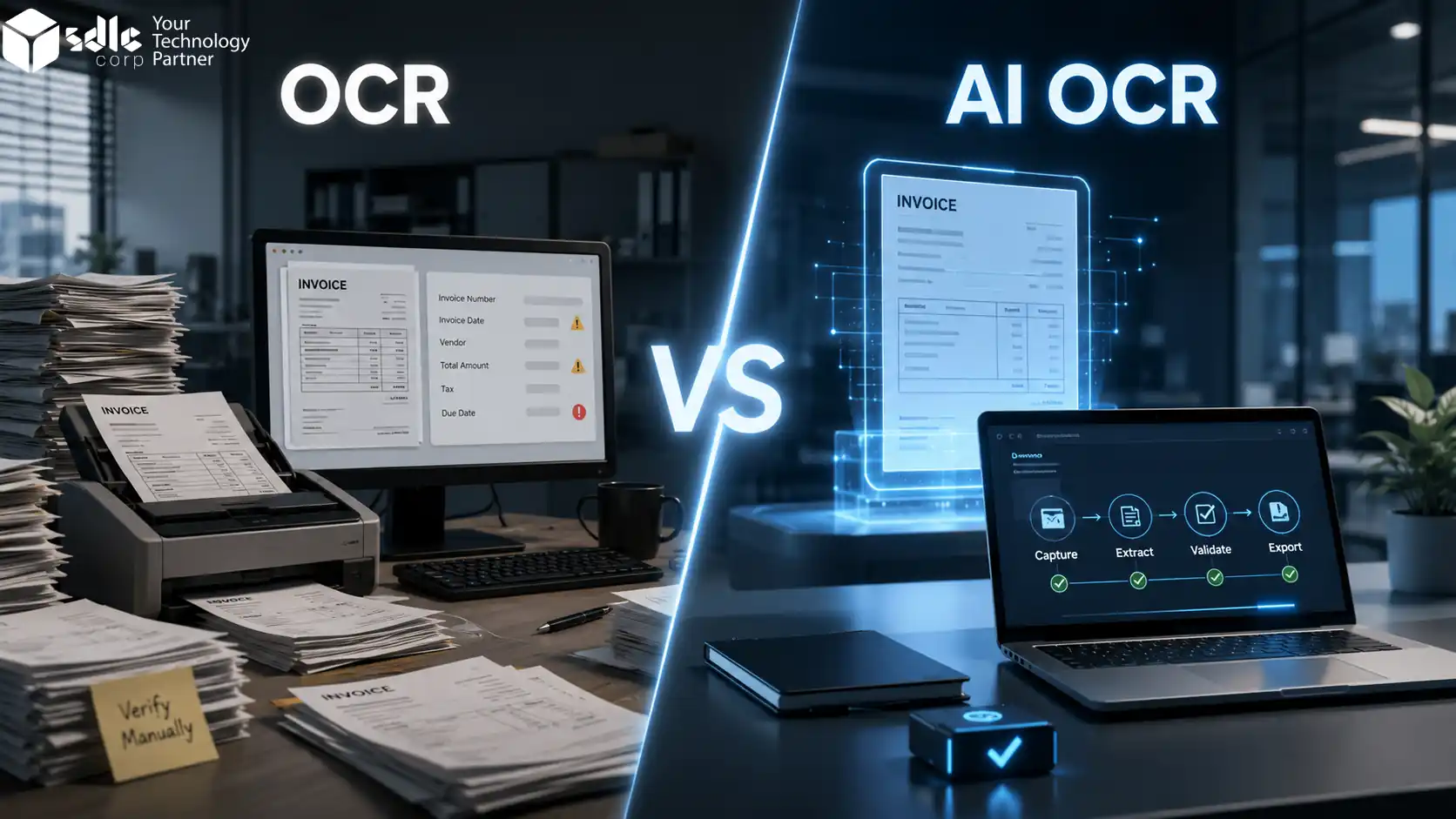
Invoices and bills of lading are extracted, validated and synced to the ERP in one pipeline. Our free Data AI Ninja tool runs the same engine on other document types.

  • 48hr to 4hr processing
  • 98% lower error rate
  • 82% lower cost per invoice
AI Document Processing for Transworld Logistics

More examples: AI Intelligent Document Processing Case Studies

Why SDLC Corp

Why choose us for PDF remediation

Product experience, document AI already in production and a security posture built for regulated records. Here is what you get when we build your remediation software.

Product
Limina

Accessibility platform we run ourselves

Building and operating Limina taught us where remediation breaks in real document sets, not just in demos.
Document AI
2,000+

Documents a day in one live pipeline

Our extraction and classification pipelines already run in production for logistics and finance teams.
Talent
400+

AI specialists within 1,200+ engineers

Layout models, OCR and vision-language work handled by the same teams behind our AI practice.
Ownership
100%

Code and models you own

Source code, trained models and pipeline configuration transfer to you, with no per-page fees to us.
Security
SOC 2

ISO 27001, HIPAA and GDPR aligned

Deployment inside your own cloud or on premises when records cannot leave your environment.
Quality
3,400+

Projects delivered and tested

Our Software Testing and QA Services team checks every release with validators and real screen readers. Custom API Development & Integration Services connect it all.
Free document audit

Get a free document accessibility audit

Share a sample of your documents. We will return an accessibility baseline and a remediation pipeline plan within one week, before your next compliance deadline.
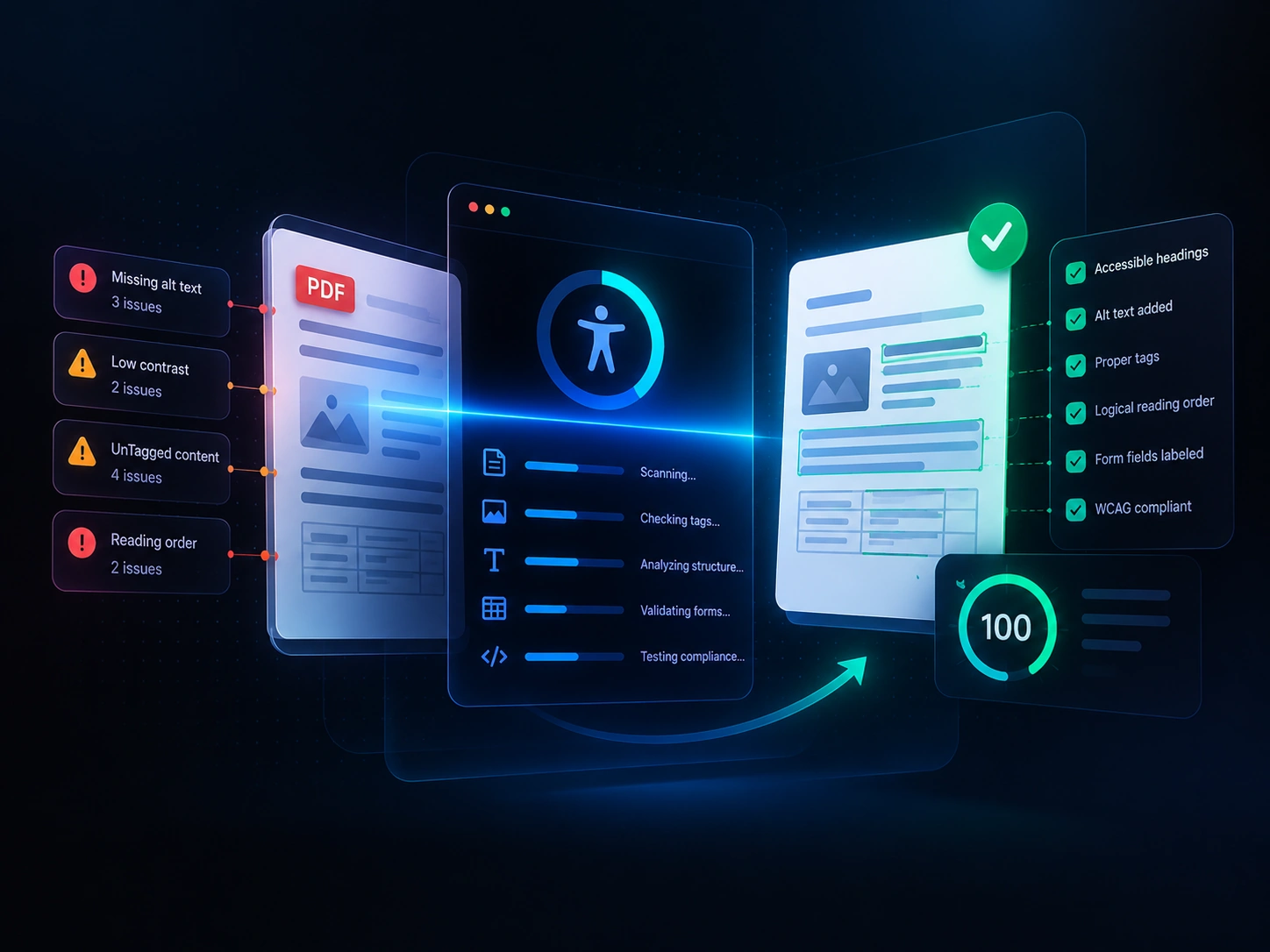
WCAG and PDF/UA baselinePipeline plan and estimateNDA protected
Remediation reviewer approving tagged PDF pages in a web workbench
Cost and timeline

Remediation software cost and timeline

What it costs to build document remediation software depends on scope. These ranges are indicative, and we confirm a fixed estimate after the document audit.

Start here

Proof of concept

From $25,000

4 to 6 weeks

One document family, an auto-tagging baseline, measured accuracy and a conformance report you can take to stakeholders.

Best for validating accuracy before a full build

Enterprise

Enterprise platform

From $180,000

6 to 10 months

Multiple formats, multi-tenant access, SSO, analytics and on-premises or private cloud deployment.

Best for agencies, universities and product vendors

  • How many document families you have and how much their layouts vary
  • The share of scanned, form-heavy or table-heavy files
  • Target standards and the level of manual review you require
  • Number of systems to integrate and your hosting requirements
Client stories

Client reviews and testimonials

Operating leaders share what it is like to build software with SDLC Corp, from discovery and planning to launch and ongoing support.

Client story

Eric Leist

CEO, Edgerton Strategies

Client story

Doug Schmidt

CEO, Roofaid USA

Client story

Reyzal Razmi

All Star Influencers

What clients say 01 / 05
They approached our Salesforce discovery with real technical depth, uncovered structural gaps others missed, and delivered a solution that worked exactly as promised.
Chris GreenHead of Business, Listers Group
What clients say 02 / 05
From planning to post-launch, SDLC Corp guided us every step of the way. Their support makes them more than a vendor. They are a trusted partner.
Steve GrahamCEO, Eye Fuze
FAQ

Document remediation FAQs

Quick answers to what buyers ask most about PDF and document remediation software. Do not see yours? Reach out and we will reply within 24 hours.

It is software that fixes documents so people using screen readers and other assistive technology can read them. It adds tags, sets reading order, writes alt text, labels form fields and checks the result against WCAG and PDF/UA.

Licensed tools help a person fix one file at a time. Custom software is trained on your document layouts, runs in batches, plugs into your systems and sends only uncertain items to a reviewer. Many teams keep a licensed tool for one-off files and use a custom pipeline for recurring volume.

We build to WCAG 2.1 or 2.2 Level AA, PDF/UA-1 (ISO 14289-1), Section 508, EN 301 549 for the European Accessibility Act, and the HHS Section 504 rule, depending on where your documents are published.

AI can handle most structure work on consistent document families. Complex tables, charts and ambiguous layouts still need human judgement, so we route low-confidence items to a reviewer instead of publishing them unchecked.

Yes. The DOJ rule covers conventional electronic documents such as PDFs, word processing files, presentations and spreadsheets that public entities make available, with narrow exceptions for some archived and pre-existing content. This is general information, not legal advice.

A proof of concept on one document family takes about 4 to 6 weeks. A production pipeline with a review workbench and integrations usually takes 3 to 5 months.

Projects start from about $25,000 for a proof of concept. Production pipelines typically fall between $75,000 and $180,000, and enterprise platforms go higher. After launch, the cost per page is far lower than paying per page for manual remediation.

Yes. We add OCR and layout reconstruction for image-only files, and we detect form fields to add labels, tooltips and a logical tab order.

Yes. We connect the pipeline through APIs and event hooks so files are checked and fixed when they are uploaded, before they reach the public.

You do. The source code, model weights, rules and documentation are handed over at the end of the project, and we can continue with support if you want us to.

Let’s Talk About Your Product

Get expert guidance on scope, architecture, timelines, and delivery approach so you can move forward with confidence.

What happens next?